Monthly Archives: December 2023

Sony Xperia Z2

The Sony Xperia Z2 was a flagship smartphone released by Sony Mobile in April 2014. It was part of Sony’s Xperia Z series and was designed to be a high-end device with a focus on water and dust resistance, camera capabilities, and premium design which set it aside from competing handsets of its time. 

Competing smartphones of its time was the Samsung Galaxy S5. The HTC One M8 compared favourably but had perceived better audio quality owing to its front facing speakers.The LG G3 also beat it in the display department, offering a Quad HD display. However the Xperia offered more memory, a better camera and generally a larger display.

The Xperia Z2’s design – it’s unmistakably Sony. Glass on the front and back, sandwiched with a solid metal frame. The overall aesthetic screams premium, no doubt. But be ready to deal with some smudges and fingerprints, because this thing attracts them like a moth to a flame. One standout feature was the water and dust resistance, with the handset offering cover flaps for both the charging and card slots which set it apart from other handsets, but its glass back frame was a source of weakness, with owners reporting broken or cracked backs from minor drops. It was imperative to use a third party case, which detracted from the appearance of the phone.

The Xperia’s main menu, very close to the stock Android interface few a few Sony enhancements. Also note the Sackboy from LittleBigPlanet and what I assume is the main character from Medieval, two of Sony’s game franchises. 

Still theres a distinct lack of Kratos from God Of War.

Swiping right takes you to another home screen, here you can see the clock, Google search box (which is a widget that can be changed to any search engine that you like) and shortcuts to Google’s services.

The lock screen, which provides shortcuts to the camera when you swipe up in that direction. A common design you will see are waves, which were similar to what was seen on the PS3 XMB and the PS4 home menu, I guess its Sony’s thing

Included Apps

Xperia Lounge: It was designed to offer Xperia users a variety of exclusive content, offers, and experiences that were tailored to their devices and interests. The app aimed to provide a unique and personalised experience for Xperia smartphone owners, offering access to a range of content and perks that were not available to users of other devices. Mainly this was ringtones, themes and wallpapers, though some offers were promoted, mainly for obscure services/products that no one would ever use like vegan chocolate.

PlayStation: Should need no introduction, this was Sony’s app to manage and view your PlayStation trophies and friends. You could also access the PSN store.

Music: Sony’s music player, though I’m a little disappointed with the lack of Walkman branding, considering at one point Sony had Walkman phones. 

Music can be sorted by Artist, Album, Genres or the entire list of songs can be displayed. If album art is saved it will be displayed also. Podcasts also have their own category.

Music can also be streamed directly from Google Drive.

Album: Photo viewer, photos captured with the camera will appear here.

Camera: Both still images and videos can be captured, and Sony have offered additional customizable settings to fine-tune the image before it’s captured. Sony also offers additional apps for specific effects like panorama, timeshift video and 4K capture. Since these are separate apps you will need to go through the permissions malarky the first time you launch these apps.

The Xperia Z2 has a dedicated analog camera button that helps control the focus when capturing an image, similar to the two-stage camera button that was common on Windows Phones.

Support: A help center where users could get more information on how how to use the phone, or how to perform specific features. You can also find out detailed information of the handset itself such as memory usage, or perform hardware tests if you are experiencing issues with the handset.

You can also set an automated backup, which can use the SD card, USB storage or an online service

The STAMINA feature lets you prolong battery life by reducing power usage when the battery hits a certain threshold, very similar to the battery saver feature of Windows Phone. There is also an ultra STAMINA feature, which reduces the phone to a feature phone, ideal if you’re going on a camping trip for the weekend and need to conserve battery power. Though why not just bring a power bank?

Email: A basic email client to connect to email services that didn’t offer their own mobile app. As long as POP3/IMAP is supported, the amp and connect and synchronize with your provider. Most users would typically use either Outlook/Gmail or Yahoo Mail.

Microsoft Exchange was also supported.

Weather: Sony’s stock weather app, powered by Accuweather. Surprisingly this still works well and is able to bring up weather information from my local area.

Calendar: Your standard calander app

Newsfrom Socialife: Sony’s news app. The app aimed to curate news articles, blog posts, and other online content based on users’ interests, allowing them to stay informed about topics they cared about. The app would aggregate news articles, blog posts, and other content from various sources across the internet and present them in a personalized news feed. The content displayed would be based on the user’s selected interests and preferences.

Users could choose their favorite topics, categories, and sources to tailor their news feed to their interests. This allowed users to receive updates about subjects that mattered to them. The app also supported offline reading so that articles could be read in the event they no longer had access to date, ideal if you travel the underground subway/railway.

As of 2023 the app is now dead but was replaced by News Suite, which is still a thing on modern Xperia smartphones, at least on my Xperia 1 IV.

Calculator: Your standard calculator, appears to license some code from SGI (Silicon Graphics) which was a major workstation vendor.

Clock: Standard clock application that is similar to other apps of this type. Includes a stopwatch, alarm clock, clock that supports multiple time zones and a timer.

Lifelog: This was designed to help users track and record various aspects of their daily activities and experiences, creating a digital “lifelog” of their interactions, movements, and habits. The app aimed to provide users with insights into their daily routines and behaviors, with a focus on health, fitness & entertainment. The main features of this app were Activity Tracking, The app used sensors like the phone’s accelerometer and GPS to track physical activities, such as walking, running, and cycling. It could also monitor your movements throughout the day. Additional features were sleep tracking, health insights, goals and social integration. In many ways it was similar to the FitBit app.

Sketch: Sony’s own version of MSPaint, allows you to freehand draw using either the brush, pencil or sticker tools. Shaps can also be added and there’s various image manipulation tools like smudging

The background can also be changed to give the appearance of writing or graph paper, which can also be customized.

There is also an option to place stickers onto your drawing, of which Panda themed stickers are included by default. At one point you could download additional sticks from Sony online, but has since been discontinued.

TrackID: Sony’s own version of Shazam, which has access to the Gracenote database. The app was designed to quickly identify the title, artist, and album of a song playing in the background, which was particularly useful for discovering new music or identifying tracks you encountered in various settings.

AVG protection: Virus protection was a thing on Android, and Xperia’s were commonly bundled with AVG which offered basic protection. With the option to upgrade to a paid version which offered better support.

Well at least it’s not McAfee or Norton.

PS Video: A video-on-demand store where you could purchase movies and TV series boxsets to own, which could then be played on the PS3 or PS4, or if you had a smart Bravia TV. Not to be confused with PlayStation Vue, which was an OTT streaming service limited to the US.

File Commander: A third-party file manager application funded with the phone, and one of the few apps that has adverts. Files can be browsed on both the internal storage, and the SD card if one is inserted. This appears to be a limited trial that requires a license to be unlocked.

Smart Connect: Lets you setup and enable certain events to trigger when you connect an accessory, like a headset or charger. For headsets you can set the phone to automatically open the music app and set it to only happen within set time period.
You can also use this for timed profiles, where you can set the phone to go on silent mode between a set time period.

Kobo eBooks: A bookstore that competes with Amazon’s Kindle, preloaded partly as Sony had discontinued their own bookstore for their eReader series.

Navigation: A rebranded Garmin client, servers as an alternative to Google Maps and makes use of the assisted GPS feature of the phone.

TV SideView: TV SideView was designed to serve as a companion app for Sony’s BRAVIA line of smart televisions. It allowed users to control and interact with their Sony smart TVs using their Xperia smartphones. It can be used as a remote control (requires the TV to be connected to the same network) a program guide powered by Gracenote, and content recommendations for upcoming TV programs. This still works with modern BRAVIA Android TV’s and will pull the current channel list along with TV listings.

Messages: Supports SMS and MMS, with custom stickers.

Notification & Launcher

Sony’s launcher is very similar to what you would find on a stock Android handset, complete with multiple home screens. The home screens can be customized with custom icons or widgets.

Xperia Keyboard, Sony would later switch to the Switfkey keyboard, additional skins can be selected to customize the keyboard 

One-handed mode is a feature to make the phone easier to use.

Sony have their own set of emoji’s that can be used over the stock Android ones

The task switcher, the bar along the bottom appears to be some soft of quick launch bar. The default options are Internet Browser, Timer, Calculator and Screen capture (Which allows you to capture the window itself, like the Windows snipping tool)

Settings

The settings menu is divided into different sections for easier navigation:

Wireless & Networks: Connect to a WiFI network, Bluetooth. In the Device Connections menu, you can ‘Throw’ media onto an external display using either screen mirroring or DLNA, if the TV supports either of these. The Throw feature integrates with Sony’s media apps, giving a unified experience. There are separate options for casting and screen mirroring which are managed by Android.

This might be because screen mirroring was included as standard in later Android versions/updates, but was not at the phone’s release.

Alternatively you can set the phone to be a media server, and have your devices connect to it instead.

Another feature is the ability to pair a DualShock 4 controller, which is the standard PS4 controller. This is useful for playing games that support the Android controller API. This didn’t work on three of my controllers (CUH-ZCT2E) the first couple of attempts, but after closing and resetting the Bluetooth I eventually got it to pair, as it would attempt to pair but would then fail.

Once paired you can controller the phone via the controller and can navigate base menus.

The Device section gives you settings for personalization, such as themes, display, notifications & sound. Theme in particular can be downloaded and applied. to the phone and can change the colour scheme, icons and background wallpaper.

Lastly shutting down the Xperia Z2

Midnight Run: Road Fighter 2
Why are you last? You driving Miss Daisy?

A racing game set on a typical Japanese city highway, complete with rival traffic that you have to overtake and avoid.

There are three different courses available, each named after difficulty (Easy, Normal, Hard). The harder courses have more complicated tracks with sharper corners, and more dense traffic to avoid. They are also set at different times, with the easiest being set in the evening (Sunset Trial), the medium being set at night (Starlight heat) and the hardest at Midnight (The Midnight Run)

There are also four different vehicles to choose from, though there isn’t any difference with their speed or handling, holding the start button down lets you enabled tuning mode, where all the cars have spoilers on them. I assume these are much faster but with less handling.

Initially released in arcades, the game was later ported to the PlayStation in Japan and Europe. There isn’t any new content or game modes added so I can’t really recommend it over the arcade version which has much better graphics. Speaking of, this does run on the Konami ZR107 arcade board which uses the PowerPC 403e running at 32Mhz, but I wasn’t able to locate any information on its graphics hardware except that it uses an Analog Devices ADSP-21062 for its geometry engine, similar to what was used in the Sega Model 2B. it’s likely Konami licensed a 3D accelerator from another vendor.

I’m unsure how it compares to Sega or Namco’s 3D hardware as it only had three games released for it, all of which appear to be racing games.

Unreal Tournament

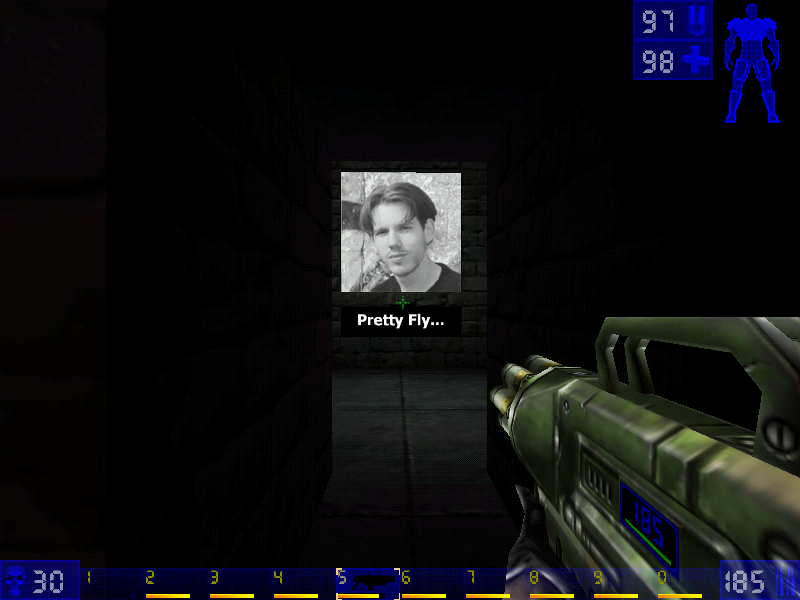
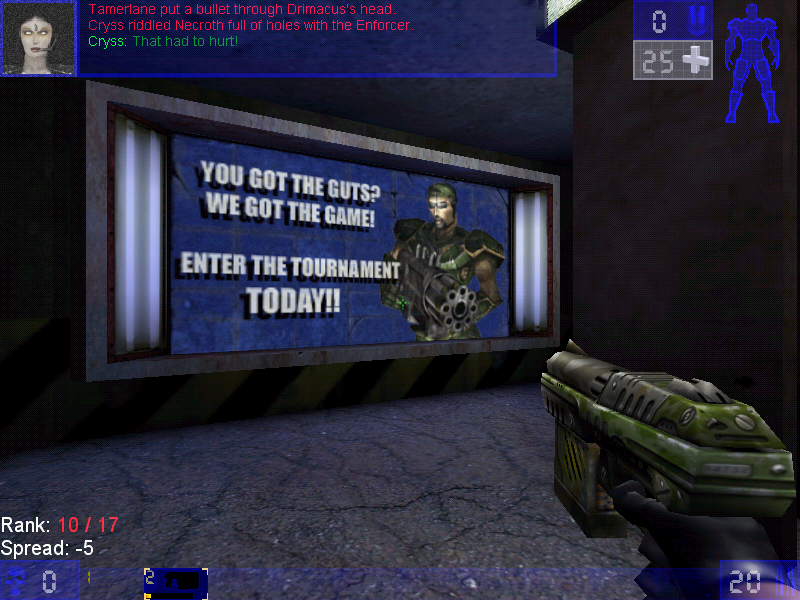
The spin-off that became more popular that its origin game as it expands on the multiplayer aspect of Unreal.

He asked for a 13 and they drew a 31

There isn’t much point of trying to make sense of the Unreal Tournament lore, especially once the sequels come into play. Basically, the tournaments have become annual sports events (Like Soccer, football or handegg) that are also popular TV events set in a dystopian future where corporations control the government (Just like today).

Game Modes

Additional game modes and be downloaded and added to the game, making it very flexible for new ideas for gameplay. Jailbreak is an example of a new game mode. Because of this, Unreal Tournament, and its middleware Unreal Engine because very popular for game modders to add new maps, skins, and mutations to the game, and helped developers become familiar with the Unreal engine which would become the popular engine for various games (in fact, the seventh generations of western games were dominated by Unreal Engine 3)

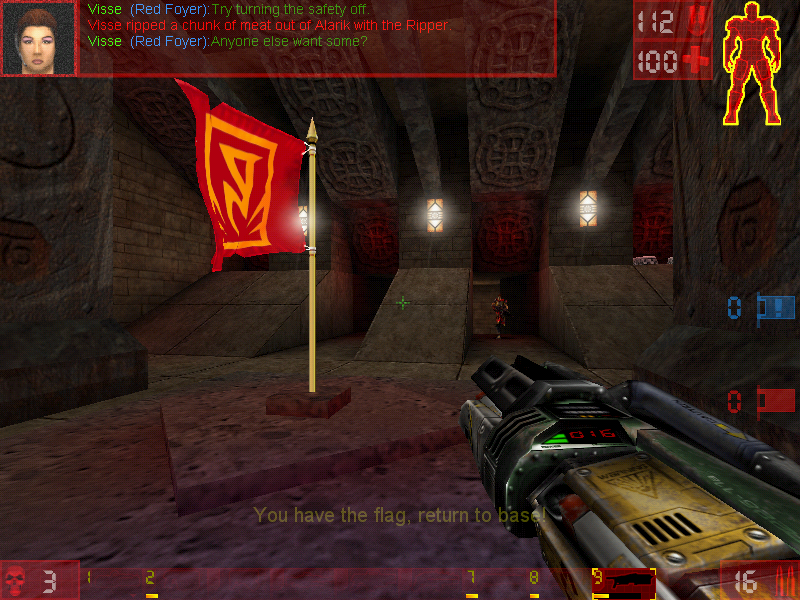
Capture the Flag

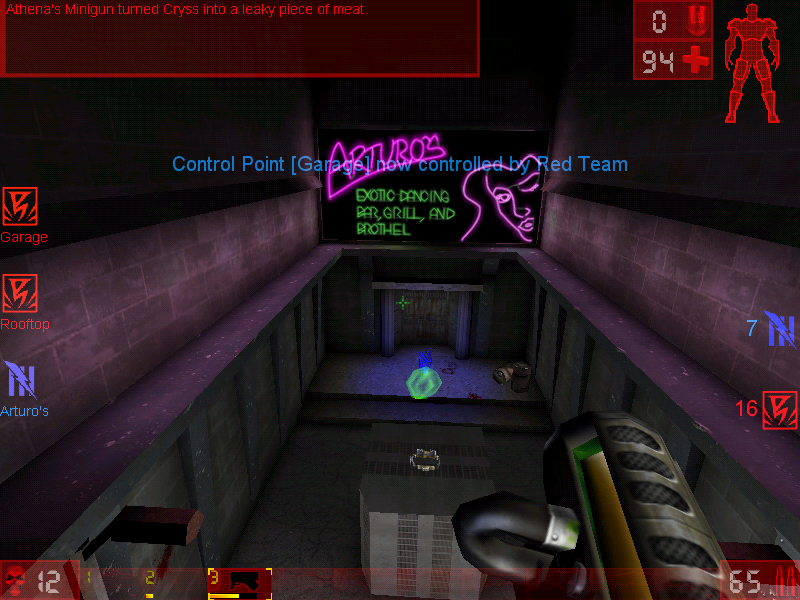
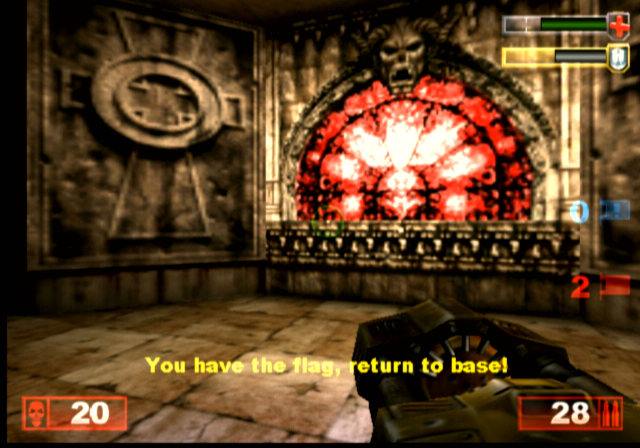
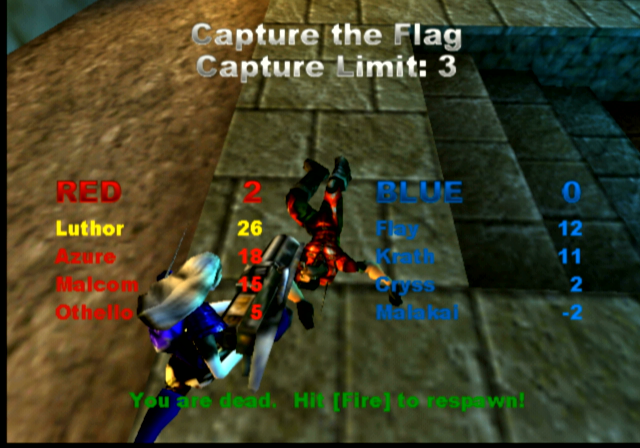
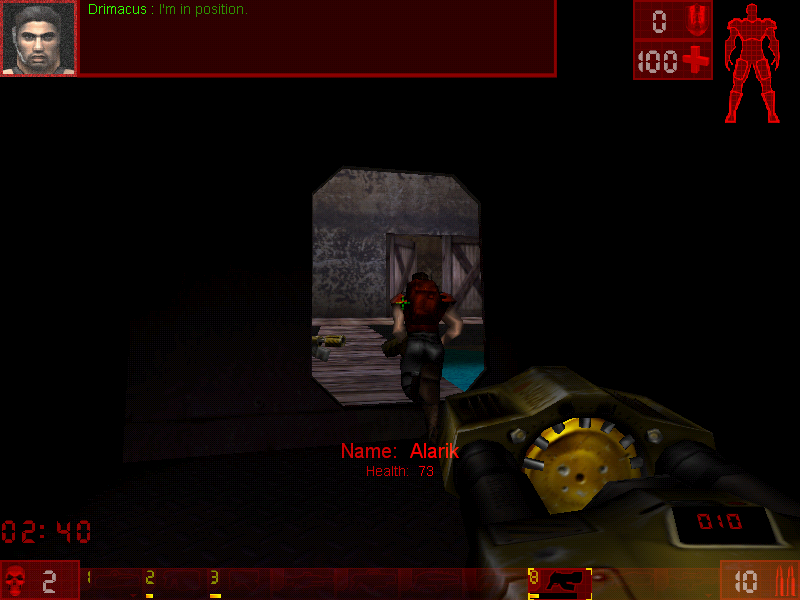
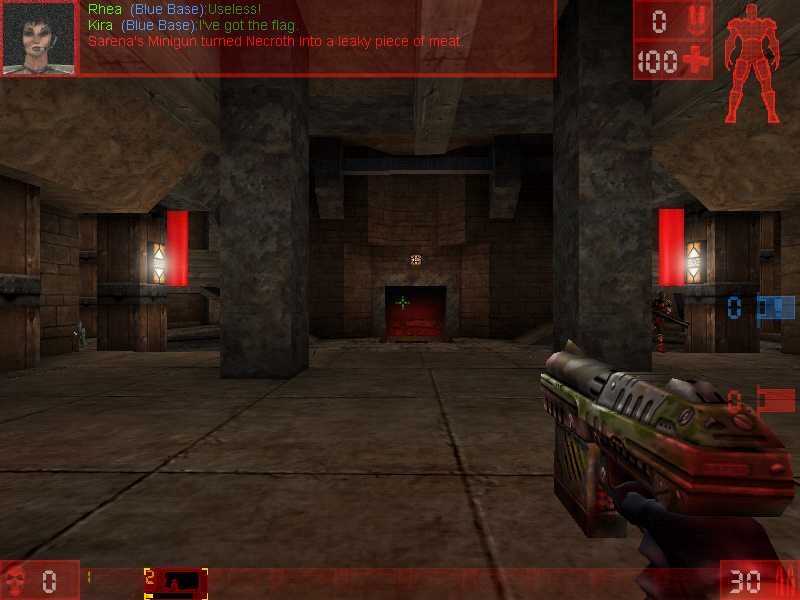
You have to catch the enemy’s flag and bring it back to the base without being killed. If you are killed the flag you were holding would be dropped and someone from your team would have to pick it up, otherwise, it would teleport back to the enemy base should an enemy team member pick it up, or if the flag remains untouched after a certain amount of time.


Here good team communication is key, as you will want someone to be watching the base flag whilst others go after the enemy flag, you may wish to have team members watch certain points of the arena map, especially areas that have narrow corners or corridors. Some maps have secret paths that lead to the flag, so be careful with those.

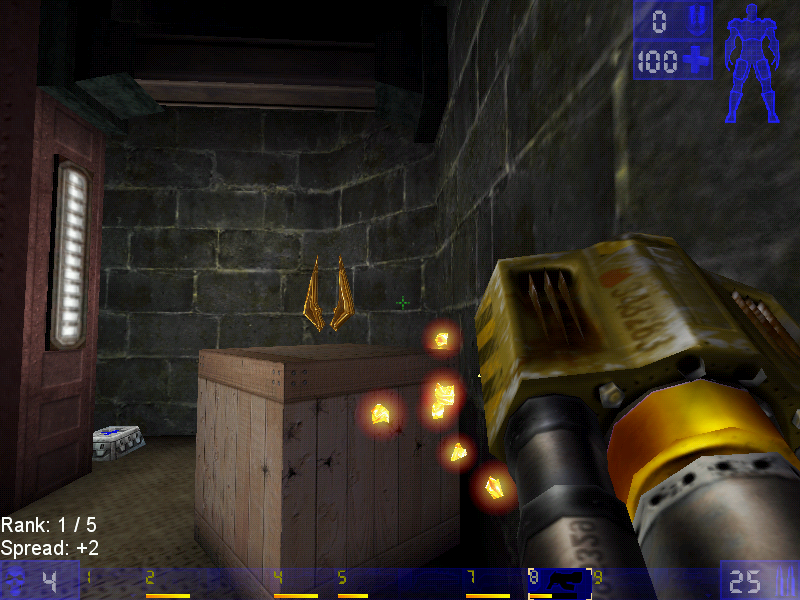
Jump boots, one of the powerups

Deathmatch

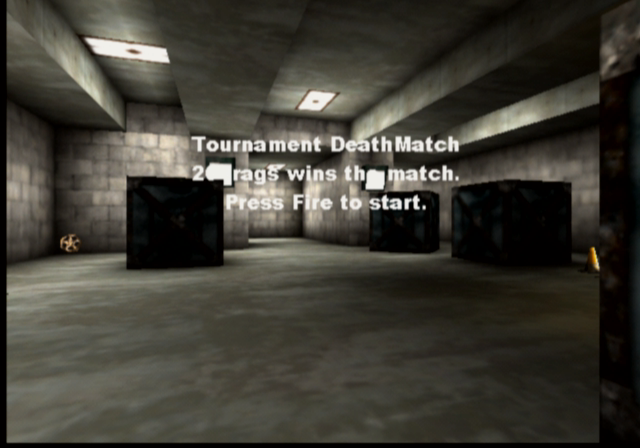
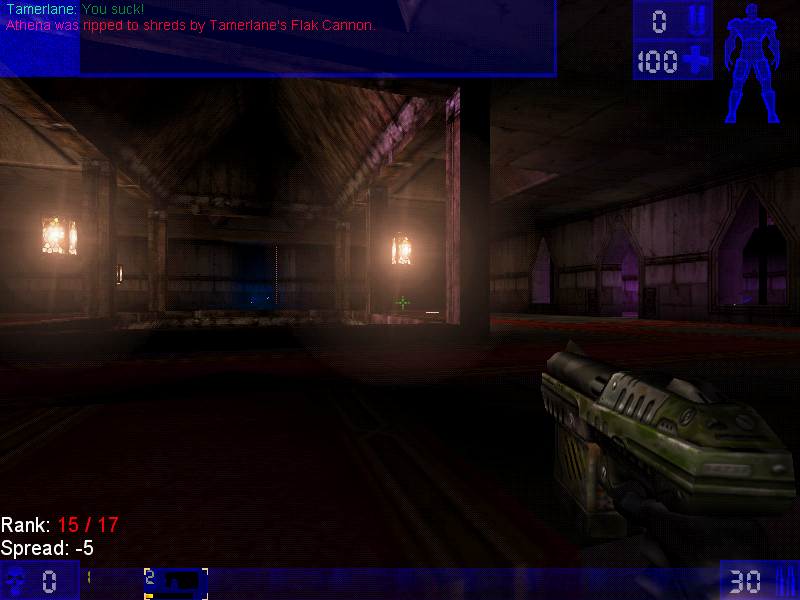
Pure kill or be killed action, there are two main variants of this game mode, Deathmatch, and Team Deathmatch, with the former being you Vs everyone on the map. Team Deathwatch put you on one of two teams (Red Vs Blue) with the team having the most kills winning the game.

Last Man Standing: Another variant of deathmatch, here you have a limited amount of lives and have to be the last player in the arena to have one or more lives remaining. The lives affect the number of times you can spawn, with one life being deducted every time you die and respawn.

Assault

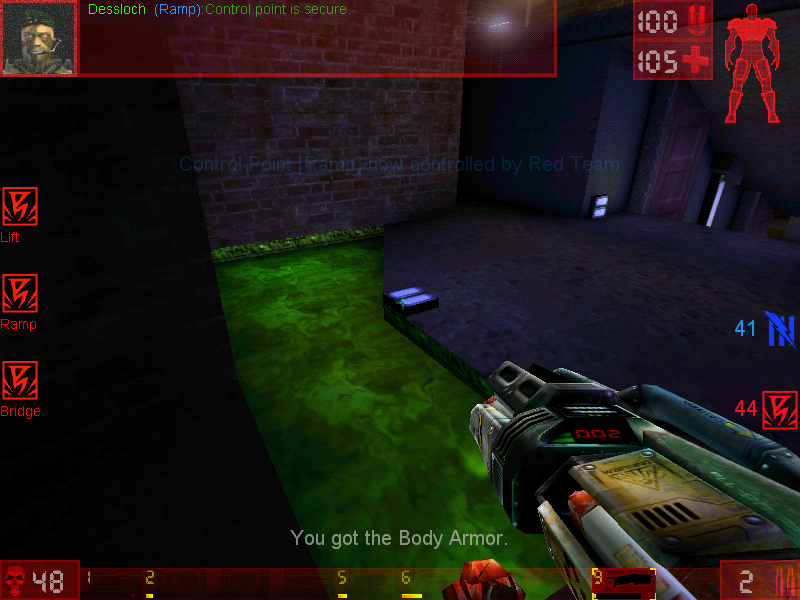
Each map has an equal set of objectives that must be completed before time runs out. One team has the role of attacking, whilst the other has to defend. When one team wins, another role starts where the teams switch sides with the opposing team defending. Spawn points depend on how far the attacking team has managed to progress, with later spawn points being available as objects have become completed.

Domination

In this mode, there are two teams who had to capture 3 bases in order to gain points. Kills are not essential and sometimes hinder your team, since the opposing player will respawn next to the area they are dominating, making it harder to capture the base. You will preferably want to weaken the enemy player, allowing for an easy kill later.
Points are gained when you have captured a base, and the more bases you capture, the faster your team will accumulate points until the maximum has been reached, of which the resulting team will win.

Weapons

Translocator: Not much of a weapon in terms of damage but allows you to quickly teleport around the map. Your fire the beacon and right-click/alt-fire will teleport you to that location. Be careful though, if a player has been destroyed by the translocator, you will die.

Impact Hammer: The weapon that you use when you’ve run out of ammo and can’t find any more so as a last resort you hope you strike lucky with the impact hammer. This only works when you charge it up and sneak behind a player in order to kill them, otherwise it’s best running and finding a new weapon or ammo.

Enforcer: The default weapon that you start and respawn with. Causes minimal damage but gets the job done. The second fire does more dame and has faster speed, but very poor accuracy.

Bio-rifle: Sometimes called the snot gun, fires green-colored gel-like projectiles that stick to any surface. When a player gets in contact it can do some damage. Useful to surround the flag base or the capture point to prevent the flag from being taken. One of those fire and forget guns.

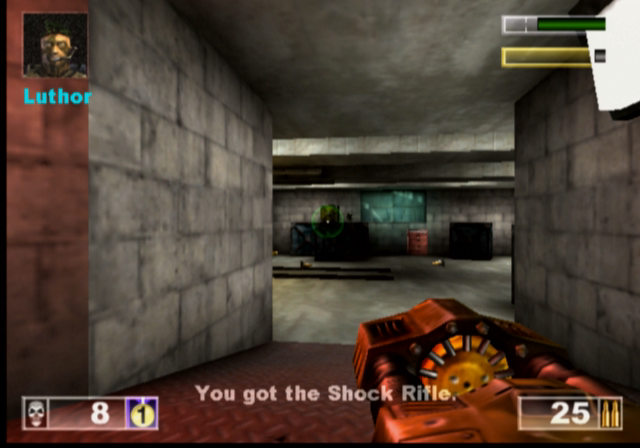
ASMD Shock Rifle: Shoots a stream of energy forward towards the target, the alt-fire shoots a ball of plasma which, when hit with the stream of energy exploded and odes further damage

Pulse Gun: Fires small green balls that are supposed to be energy pulse, nothing really spectacular since it only deals minor damage, but the alt-fire fires a straight green beam which can be linked with the beam from a teammates to increase the damage.

Ripper: Fires off razor blades which bounce off any walls or solid objects, useful for attacking around corners, just be careful since they can bounce back and damage your player

Minigun: Fires a series of bullets after a short delay, since the gun motor has to spin up. Alt fie fires more bullets but is more inaccurate

Flak Cannon: The GOAT weapon, fires a large number of projectiles, deadly upon close contact.

Rocket Launcher: Fires a rocket

Sniper Rifle: It’s a great weapon at a distance, and is somewhat usable at close range. You will really want to use this on CTF or assault games where players are more likely to camp

Redeemer: Fires a nuke into the arenas that deals a lot of damage and a large blast radius, alt-fire shoots a steerable missile but leaves you vulnerable to damage, and the missile can be shot at which will disarm the weapon.

Versions

The game was ported to more platforms than the original Unreal game which makes it more well known with the two console platforms of the time.

Dreamcast

The game was ported to the Sega Dreamcast in 2000, this version came with a few exclusive maps, a redesigned menu system, and HUD and retained keyboard and mouse support. Online play was also supported with you having the modem adaptor and an internet dial-up account.
The VMU is used somewhat, it displays the Unreal logo as a looping animation.

Playstation 2

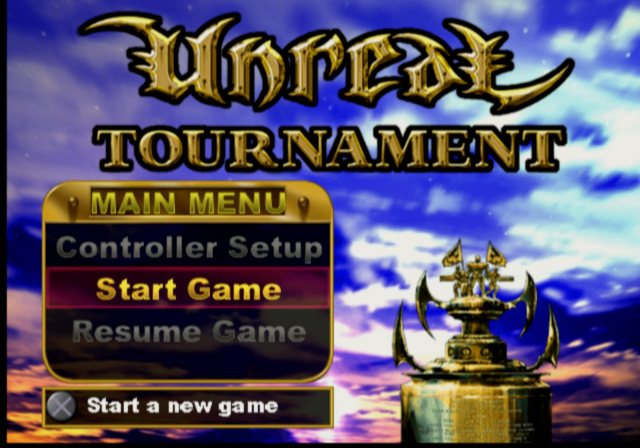
Released early into the PS2 life, this version suffers from a few framerate issues since the game was not very optimized for the PS2 vector units, and was to serve as a concept for future Unreal Engine titles. You can also see the lower resolution textures as the graphics had to squeeze into the PS2’s 4MB VRAM buffer.

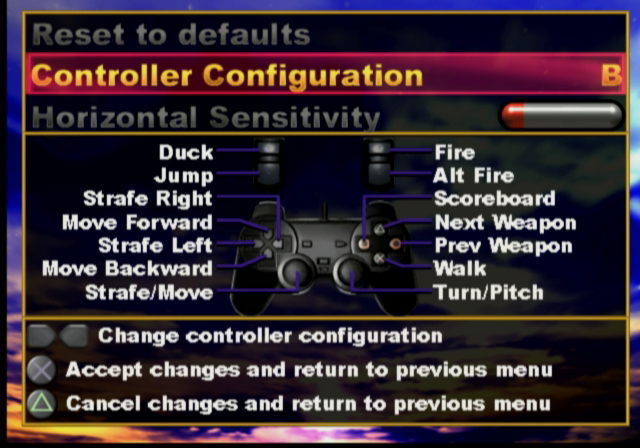
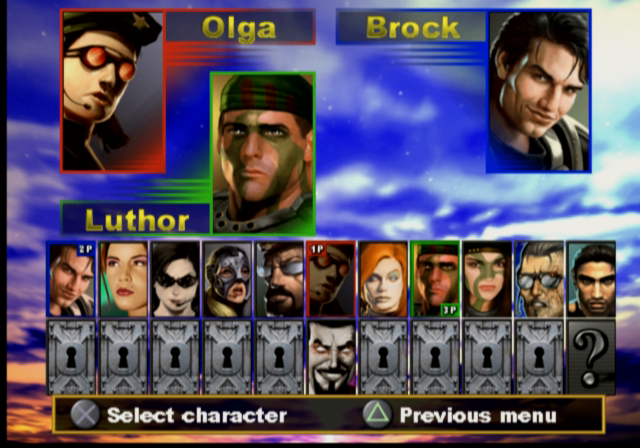
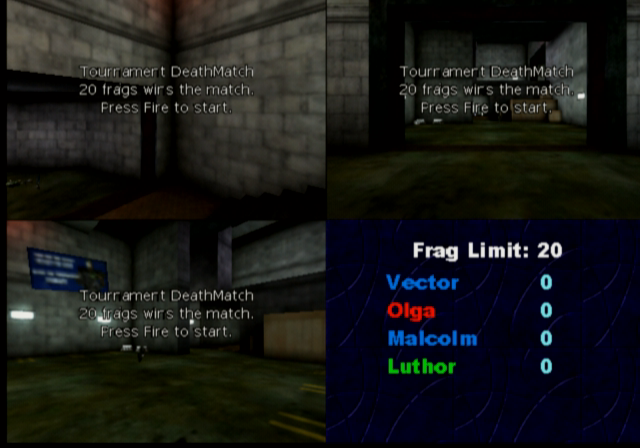
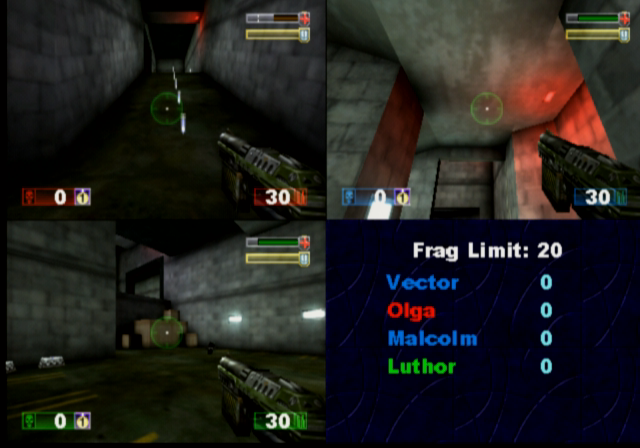
Unlike the Dreamcast version, the PS2 version does not support online play at all, as the PS2 network adaptor was not released at this point (Sony originally intended for the iLink connector to be used for online multiplayer/LAN, but only the US release of Unreal Tournament supports this) This version does support the use of a USB keyboard and mouse which can be used for single-player mode and multiplayer, where up to four players can play from one console with the addition of two controllers and two sets of a keyboard and mouse. This does require a USB hub since the PS2 only has two USB ports, unless you use a combined wireless keyboard and mouse which commonly appears in wireless desktop sets.

As four players are on one screen, a big screen TV is recommended like those huge rear projection TVs that were available of the era.

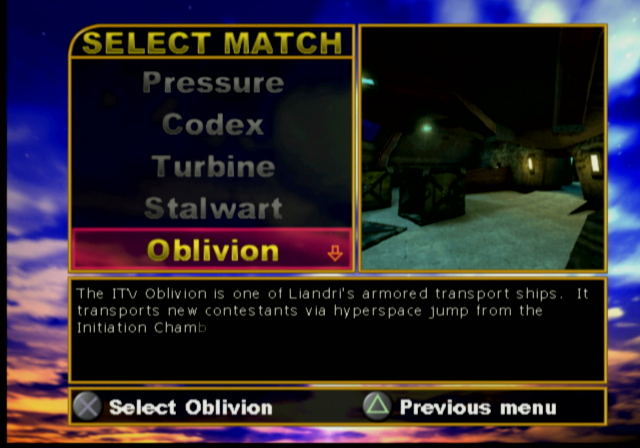
There are also a few console-exclusive maps that didn’t appear in the original PC release, and some existing maps have been altered slightly due to the console’s memory limitations.

PCSX2 1.6 is capable of running the game but will encounter issues with background music stopping abruptly, and the game will randomly lockup when starting or finishing a game.

MacOS

The game was released for the Macintosh platform and is similar to the Windows PC port, and features support for the Macintosh 3D API (Known as RAVE and used the ATI 3D RAGE accelerators, or Nvidia cards on later Macs) and Glide if the Mac has a 3DFX Voodoo card installed. The game runs best on MacOS 9.2 and has issues running through the classic environment on OS X, for both Jaguar and Panther versions of Classic.

A Carbon version exists but this never left the beta stage and lacks a few features compared to the original MacOS version. This uses OpenGL for rendering and a custom User.ini file, which will cause issues if you dual boot with both OS 9 and OS X as they share the same ini file which dictates which 3D renderer the game should use. In order for these to coexist, you will need to have two different install directories of the game.

Windows

The original and lead platform of the game.

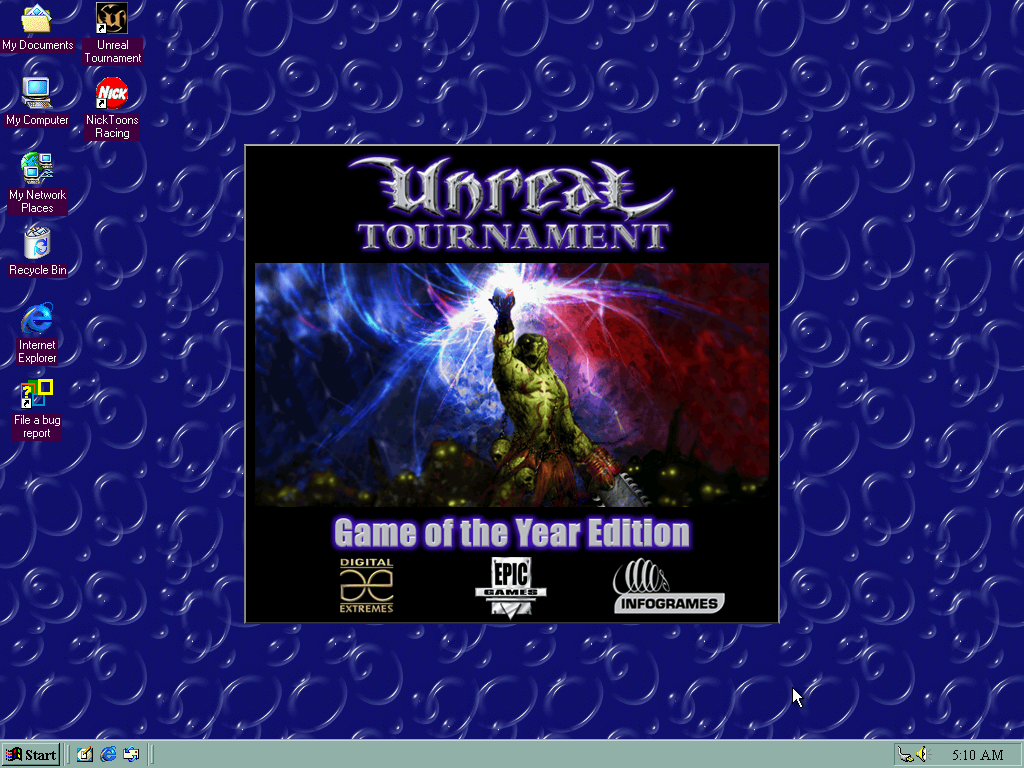
Running on an emulated 3DFX Voodoo 2 in PCem

As the game was released in the late 90s, various 3D API’s are supported

  • Direct3D: Initially supported version 6, with patch v413 introducing DirectX 7 support.
  • OpenGL
  • 3DFX Glide: Version 2.4 of the API is supported
  • S3 MeTaL: An API used for S3 Savage graphics card
  • PowerVR SGL
  • Software Rendering: If your PC has no 3D graphics card, or is not supported by Direct3D or OpenGL then you can run the game in software rendering instead which uses the CPU for the rendering functions.

The game will run perfectly on modern Windows systems, even on Windows 11.

Saint’s Row

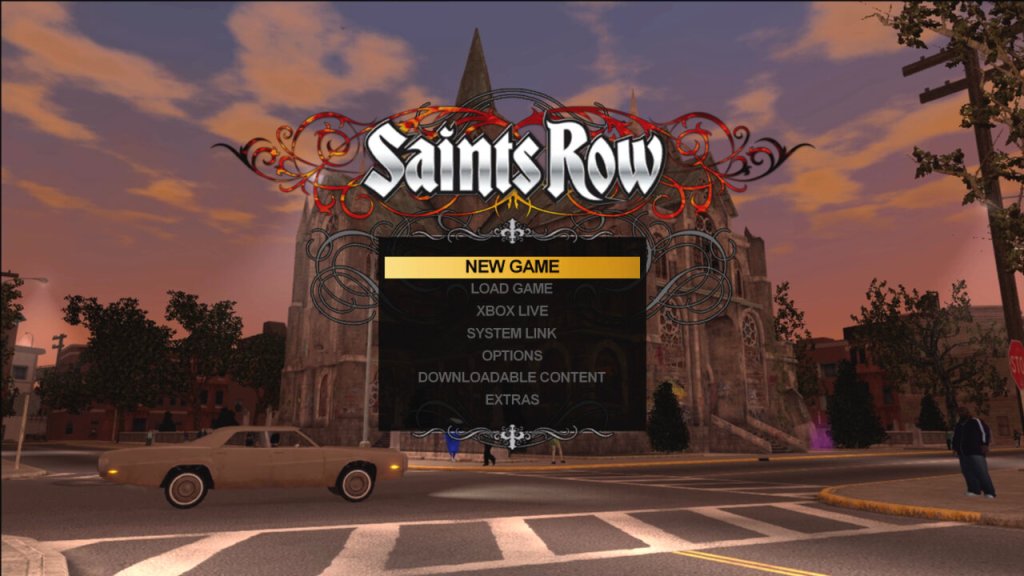
Saints Row is one wild ride. It’s like Grand Theft Auto on steroids, with an added dose of wackiness and humor – the original one that is, not the zoomer version.

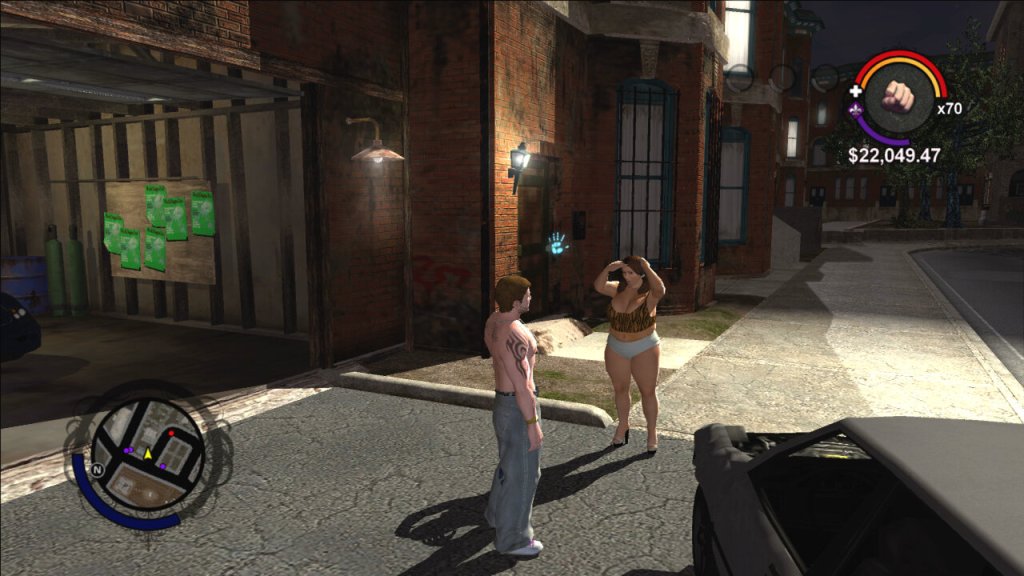
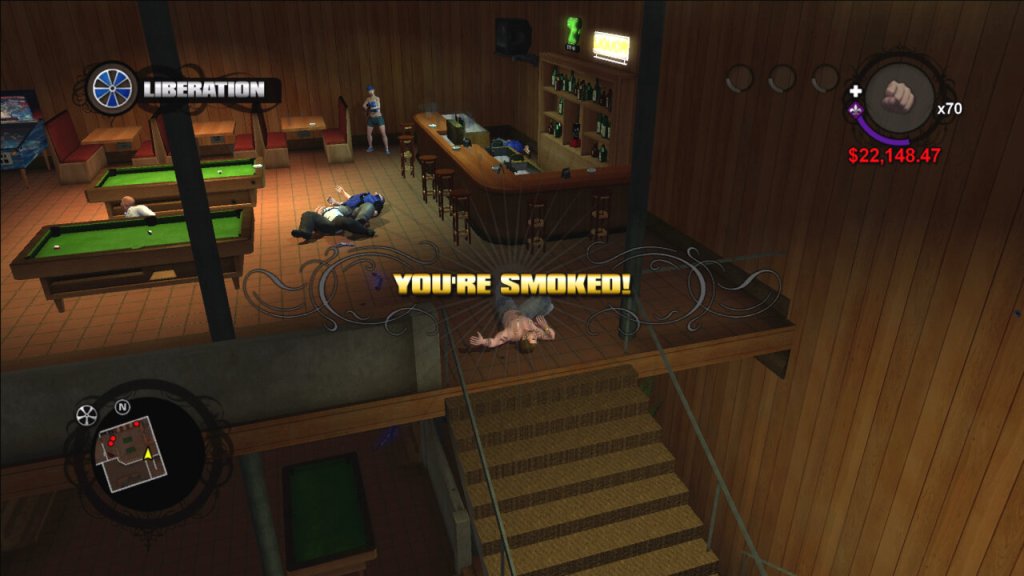
You play as the leader of the Third Street Saints gang, trying to take over the city of Stilwater one block at a time. The gameplay is pretty solid. It’s a sandbox game, which means you can go anywhere and do anything you want. You can drive cars, shoot guns, and even fly helicopters. The missions are varied and exciting, ranging from taking out rival gang members to rescuing your homies from prison. There’s always something to do in this game.

The customization options are also a big plus. You can create your own character, from their physical appearance to their clothing and accessories. You can also customize your cars and weapons, making them unique to your playstyle.

But where Saints Row really shines is its humor. This game is hilarious from start to finish. The dialogue is sharp and witty, and the characters are all memorable in their own way. The game never takes itself too seriously, which makes it a refreshing change of pace from other, more serious sandbox games.

Some of the characters in the game

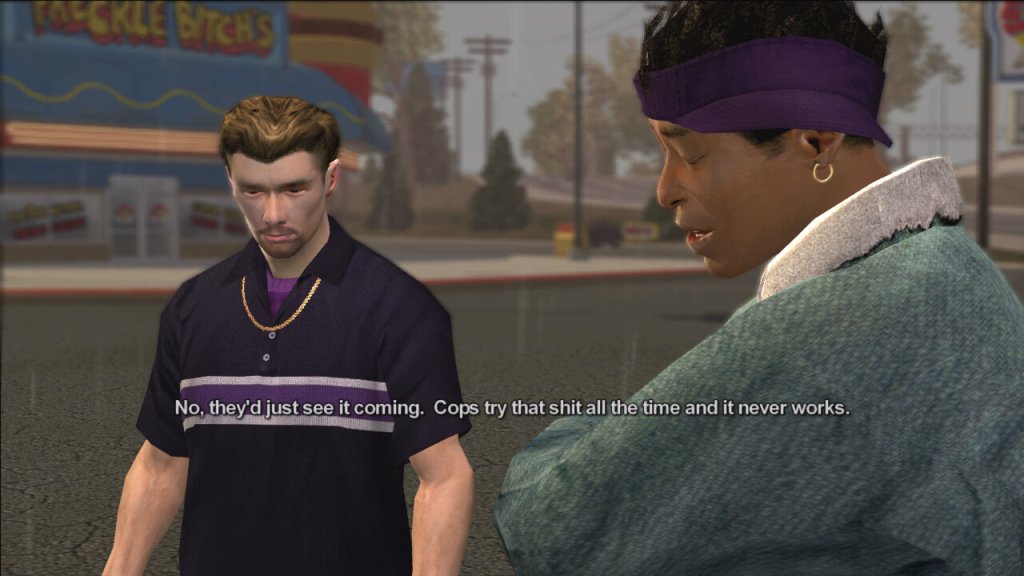
  • The Protagonist – The player-controlled character and the leader of the Third Street Saints gang.
  • Julius Little – A founding member of the Third Street Saints who helps the Protagonist take over the city of Stilwater.
  • Johnny Gat – A charismatic and violent member of the Third Street Saints who becomes a close friend and ally of the Protagonist.
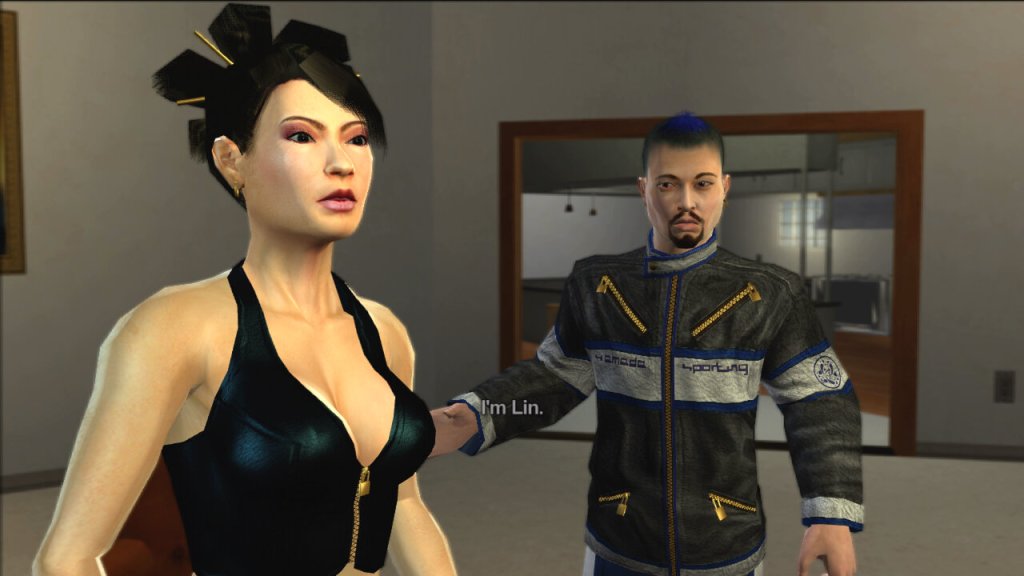
  • Lin – A tech-savvy member of the Third Street Saints who helps the gang with their computer-related needs.
  • Aisha – The Protagonist’s girlfriend and a former member of a rival gang, who becomes a strong supporter of the Third Street Saints.
  • Dex – A member of the Third Street Saints who is known for his business acumen and negotiating skills.
  • Troy – A high-ranking member of the Los Carnales gang, one of the rival gangs the Third Street Saints must defeat.
  • Victor Rodriguez – The leader of the Los Carnales gang, who serves as the primary antagonist of the game.

The Gangs

  • The Third Street Saints – The main gang that the player controls in the first three games of the series. Originally a small-time gang, they become one of the most powerful and influential gangs in Stilwater and later in Steelport.
  • Los Carnales – A Mexican-American drug cartel that serves as the main antagonist gang in the first game of the series.
  • Vice Kings – An African-American gang that controls the southern part of Stilwater. They are the main antagonist gang in Saints Row 2.
  • Westside Rollerz – A gang that specializes in street racing and drug trafficking. They are one of the three gangs that the Third Street Saints must defeat in Saints Row.

Activities

The game features a variety of activities that players can engage in to earn money, gain respect, and improve their skills. These activities range from traditional side missions to more unique and unconventional challenges. Escort where the player must escort a VIP to a destination while protecting them from enemy attacks, Mayhem – The player must cause as much chaos and destruction as possible within a set time limit, Hitman – The player must assassinate a target without being detected by the police or rival gangs and Racing – The player can participate in a variety of street races to earn money and respect. There are other side activities like Insurance Fraud. There are also additional activities like drug trafficking, Insurance fraud and Snatch, many of these reward you with respect that is required to start certain missions, and rewards you with cash.

Like many open-world games set in urban environments, it does touch on some social and political issues, albeit in a somewhat satirical and exaggerated manner. The game prominently explores the world of street gangs and criminal organizations. It depicts the power struggles, violence, and territorial disputes that are often associated with gang culture, which can be seen as a commentary on issues related to urban crime. The game features corrupt law enforcement officials and politicians, which is a common theme in many crime-related narratives. It suggests that the line between criminals and those meant to uphold the law can sometimes blur.

Stilwater, the fictional city where the game is set, is depicted as a city with areas suffering from poverty and decay. This portrayal may reflect issues related to urban blight and inequality in real-world cities.

When the game was originally released in 2006, it was one of the few Xbox 360 exclusive titles, despite later sequels being multiplatform. It was re-released for the Xbox One as part of the backward compatible titles and can be brought digitally or played by using the Xbox 360 discs, though it still remains exclusive to the Xbox family of consoles.