Monthly Archives: June 2024

IBM Aptiva 2159S

The default desktop post install, some of the desktop icons are animated, a first that i‘ve seen

If you move your mouse cursor over some of the desktop icons, a bubble will show up that gives information on what that icon does.

This appears to be part of the Aptiva Desktop customization software, which was developed by Moon Valley Software for IBM. There is an icon in the tray area that you can click to open various options, and you can turn off the animations if you find the desktop too ‘busy’

Voyeta AudioStation with some IBM branding, this was used to manage the volume mixer controls and to play CD’s MIDI open WAV files within one place, if you didn’t wish to use the built in Windows utilities. Although were not using the same sound card, the software will still work with the emulated soundcard.

The Aptiva installer that lets you quickly install software that came with your Aptiva computer but was shipped on a separate disk. Kind of a good feature since many OEM’s installs have been criticized in the past for shipping with bloatware, though it was understandable in the 90s since the internet wasn’t very common which made downloading and installing software difficult.

Some of the existing software that comes included

There’s also an update connector to keep IBM software up to date

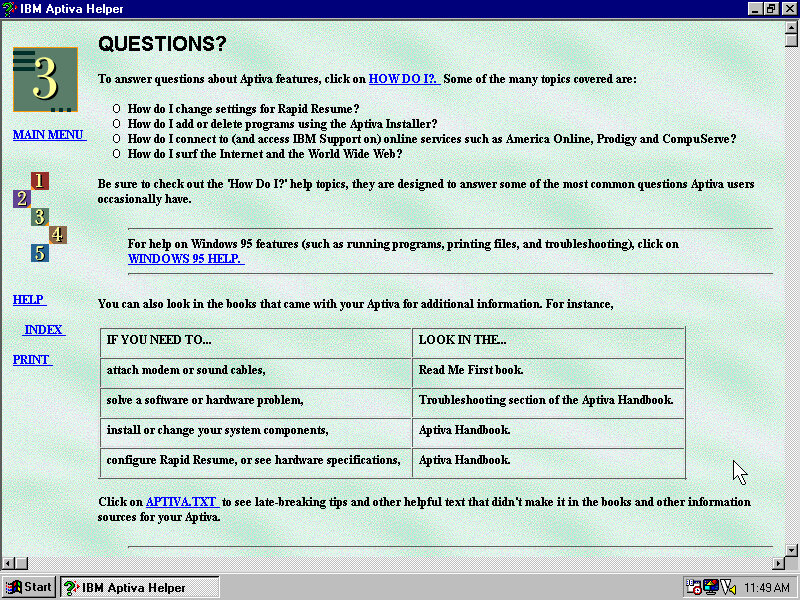
Aptiva Helper that serves as a guide to using the computers features

IBM AntiVirus comes included, and is covered in the Helper application

It also explains how disk fragmentation works and how/when to run the defragmenter utility.

Some misc screenshots

SmartSound Mastro – Lets you create sound effect which sound like something off a 90’s shopping infomercial. Ideally this might have been used in backgrounds for presentations.

Editing the music in more details, here you can choose the different segments and effects

The Kid’s room (7th Level), their version of Microsoft BOB and Packard Bell’s CyberTrio. This is fully animated with voice acting, though they have a tendency to ramble on.

Intended for use by children, it lets them access their Windows programs without using the Windows 95 interface which helps prevent them changing any settings. By default the Windows game come pinned by default (Solitaire, Minesweeper and Hearts) which don’t strike me as games that kids would enjoy. Possibly any additional software that IBM provide who automatically be added. Also it takes around 15 second to launch a program

The calendar, you can save reminders that can be viewed by anyone

Create Writer comes bundled with the install, which was originally part of the Microsoft Kids Plus Pack

A memory game where you have to remember the sequence the light flash up in.

A game of tic tac toe

Another game that should look familiar, yo have to match two of the same to clear the board, which will reveal the background picture.

Setting an alarm, where you can also leave a message. I’m curious if this goes off whilst the computer is running but the program isnt. Maybe there is a background task.
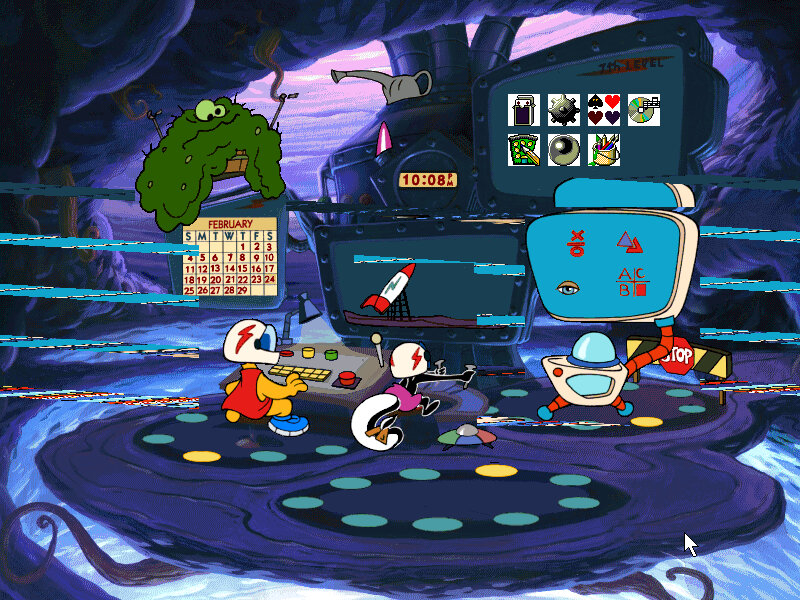
To exit out, simply click on the red STOP sign and you will be returned back to the desktop.

A look at the Logitech MouseWare software that comes included as a Control Panel applet

Windows 98 Upgrade

So that’s pretty much it, you can tell this was designed to be a family PC but the type of software that comes included with the install, as IBM’s Aptiva line was destined for home use and many OEM’s were bundling education software to make their home PC’s more appealing for all members of the family.

The OS post Windows 98 upgrade, a lot of the IBM stuff still remains like the Aptiva desktop.

External Links

Image Source (Archive.org)
Windows NT4 Resource Kit

A sort of expansion pack for the Windows NT 4 operating system, which adds a set of tools and resources. You can consider this to be a mixture of the resource packs that were released for the 9x line of operating system, but with Plus! content included

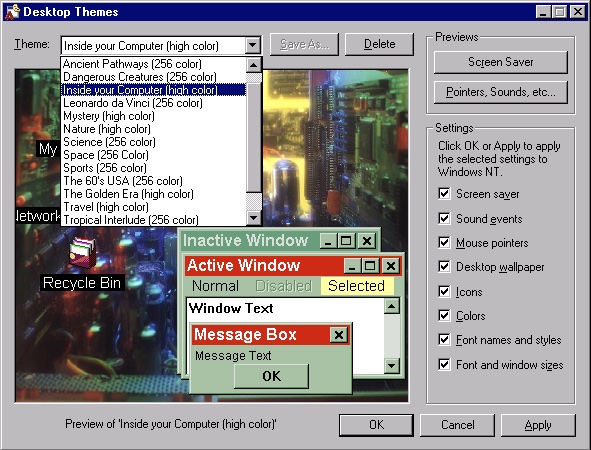
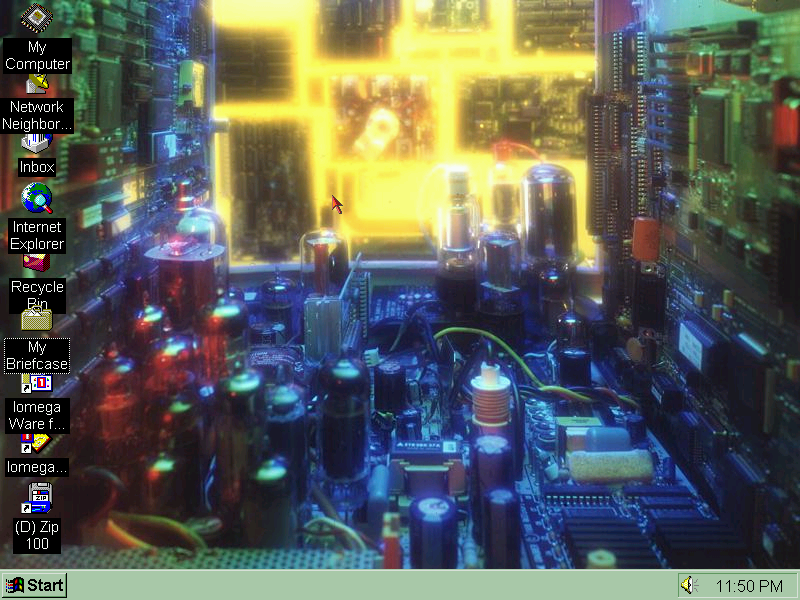
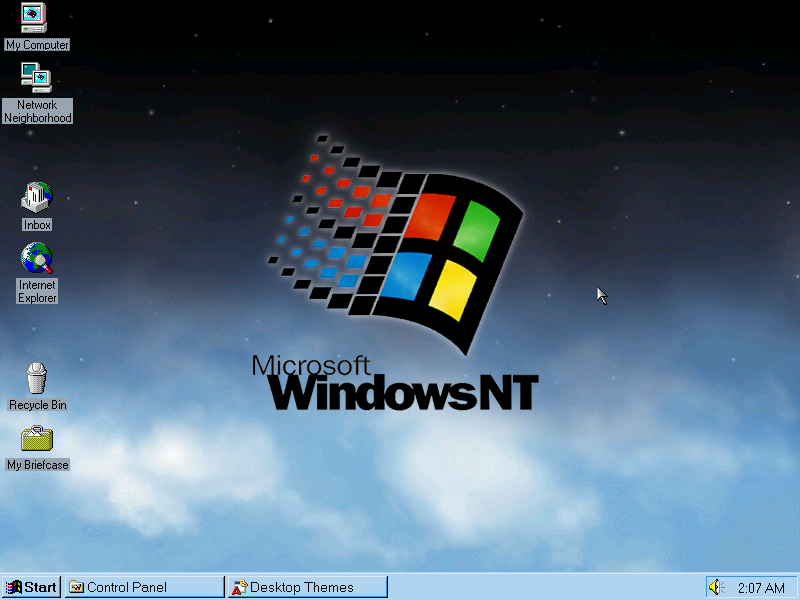
A new desktop theme and wallpaper that ships with the resource kit, this makes use of additional colours that the regular NT desktop themes lack the use of.

Themes

Screenshot

Like the Plus! pack for Windows 95, the resource kit adds desktop theme support and comes bundled with themes, some of which came with the 95 Plus! and some would go on to appear in Windows 98.

Themes exclusive to Windows NT

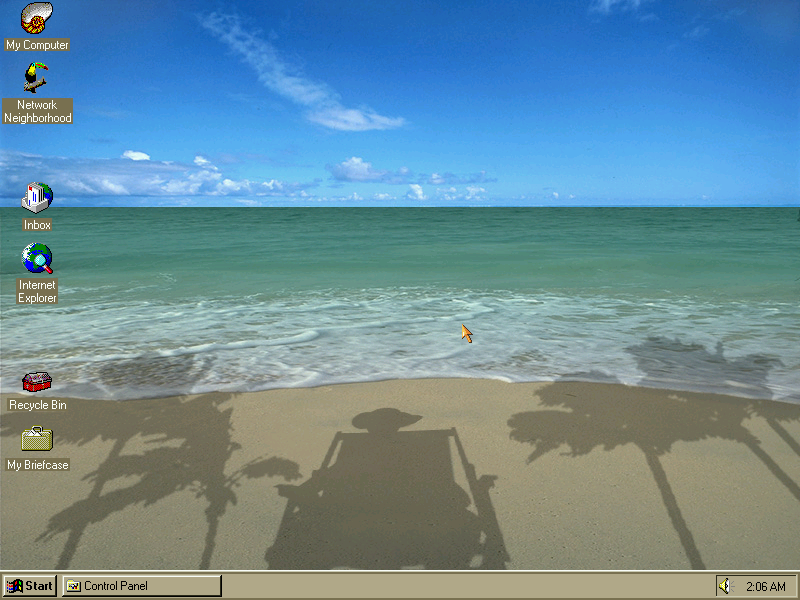
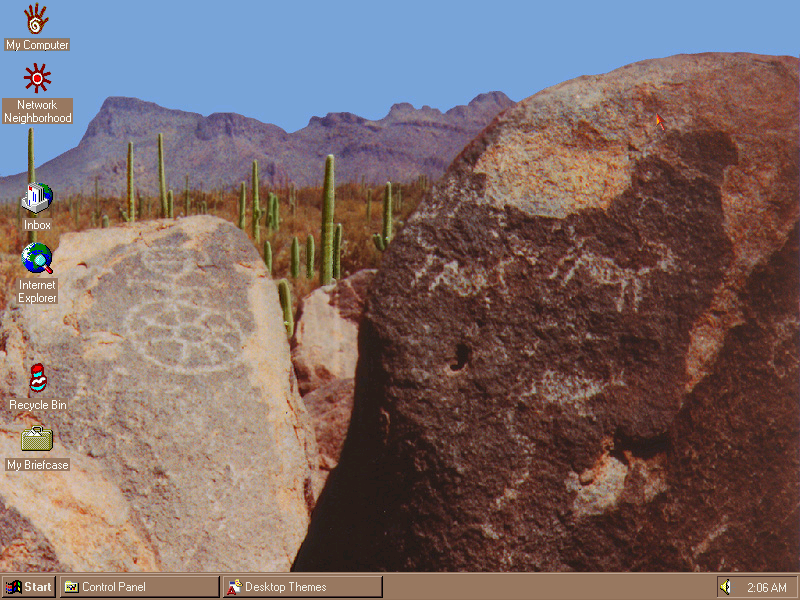
From L-R, Tropical Interlude, Ancient pathways, and the Windows NT theme pictured at the very top, These were exclusive to the NT resource kit.

Themes from Windows 95 Plus!

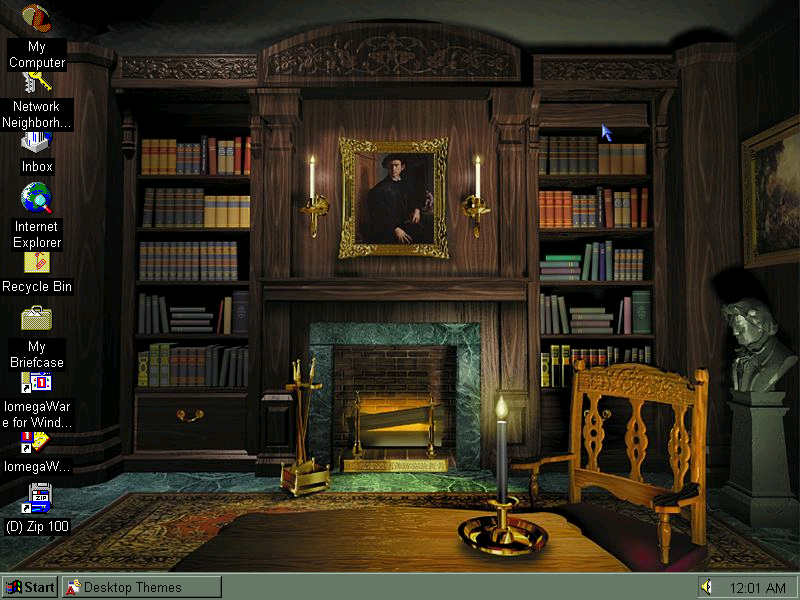
Returning themes include The Golden Era, Mystery, Space and Inside Your Computer which were included in Plus! 95 and in Windows 98. Some of these themes differ in the chosen font compared to the 9x counterparts

Configuration

Screenshot

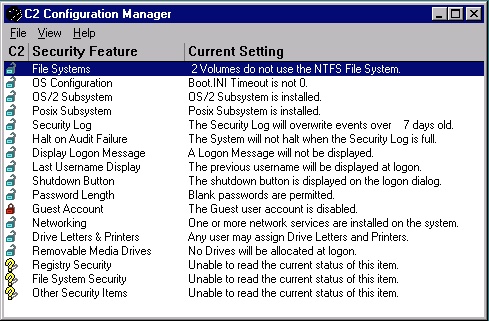
C2 Configuration: This was a tool to ensure your PC workstation was C2 compliant, which was a set of standards by the NSA to ensure integrity and security. Here you can configure certain policies such as logon messages/privacy where the previous username is cleared upon logon. These features are now standard in every corporate domain environment.

Auto Logon: Automatically log on a specific user when the PC is turned on. Useful if this is the only user that will be using the PC or if the PC is intended for specific use like in a factory or automation. This only appears to work once in my case.

Command Scheduler: Like the task scheduler in Windows 98, you can schedule maintenance tasks for disk defragmenter or virus scanners.

Desktop Tools

Screenshot

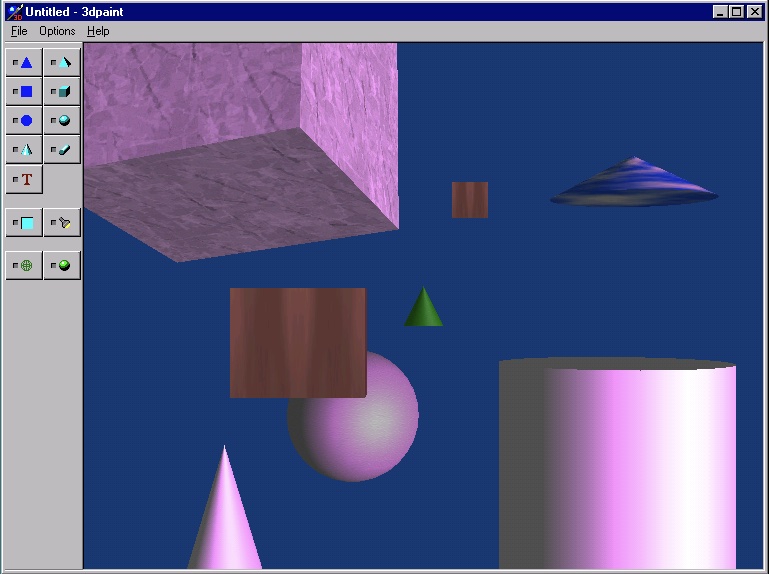
3D Paint: Not to be confused with the 3D Paint from later versions of Windows 10, this lets you place 3D objects onto the viewport. You can adjust the size, rotation and dimensions of the object, and add any additional shading or texture mapping. It’s not Bryce, but it does let you create some interesting images if you’re willing to spends some time with it. Bitmaps can be applied to the 3D objects themselves, and you can apply different colour hues to the shading and change the direction of light.

Files are saved in the 3DP format.

Advanced Cursor Editor: Open and edit cursor animations, including the ones that come with the operating system. You can edit additional frame, or add new frames in between.

Screenshot

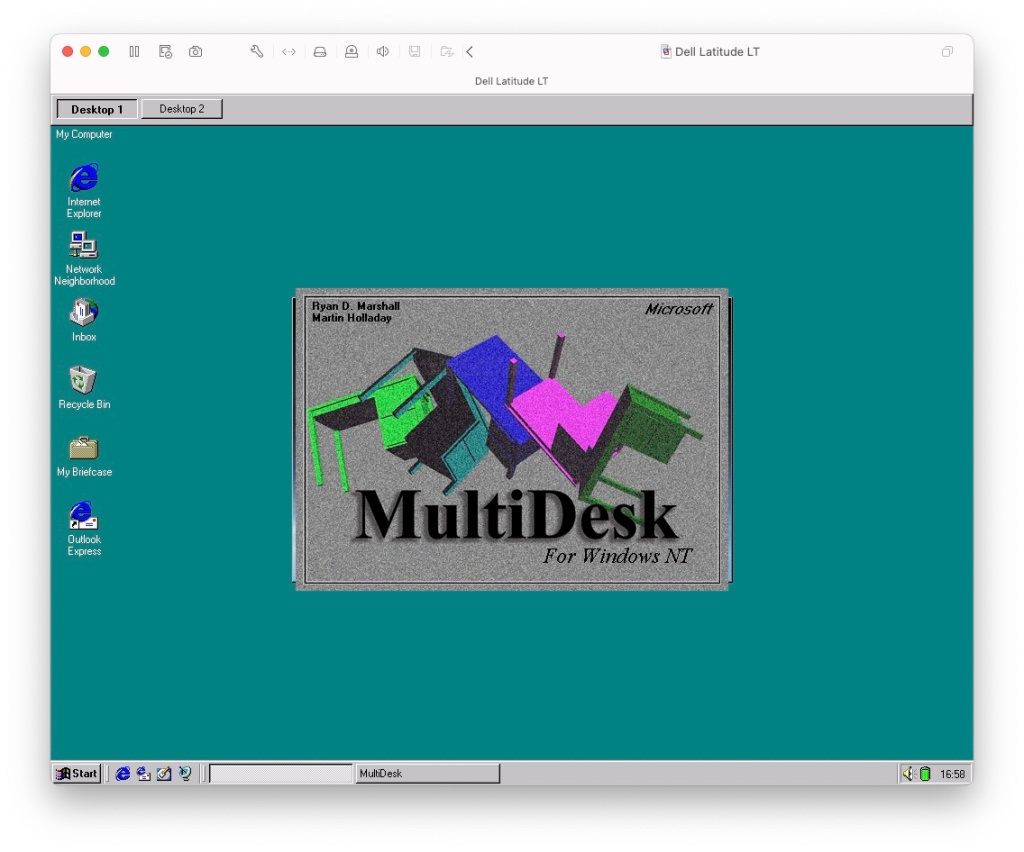
Microsoft Desktops: Lets you have multiple desktops with active windows, like many Linux distros supported.

Image Editor: Bitmap image editor, not much use for JPEG or GIF images. Even with bitmaps you are limited to images no larger than 256×256. Even if you try to open a smaller bitmap, it has to be a valid 3.0 format bitmap file. Because it these limitations, there not much use outside editing icons or clipart. The program dates from 1992 which could explain the limitations.

Text Viewer: Looks like Windows Explorer in tree view, but when you click on a file it appears as if you have opened it in notepad. Useful for HTML developers or programmers, or even gamers if they need to quickly edit an ini file since you can edit and save text file directly.

There are other various utilities such as Disk Probe, Fault Tolerance Editor, Network Watch, Process Viewer and Quick Slice. A lot of these are niche for use to look at as they serve a specific purpose.

Panasonic TOUGHBOOK CF-53

Panasonic is another Japanese brand that’s produced notebook computers, Panasonic largely specialise in rugged laptops, hence the name Toughbook. They are mostly used in field engineering which can be rough environments for laptops. They feature reinforced exteriors, spill-resistant keyboards, and enhanced shock absorption to withstand rough handling.

Screenshot

The default Windows 7 desktop, with a custom theme from Panasonic applied. Just a solid white wallpaper.

Screenshot

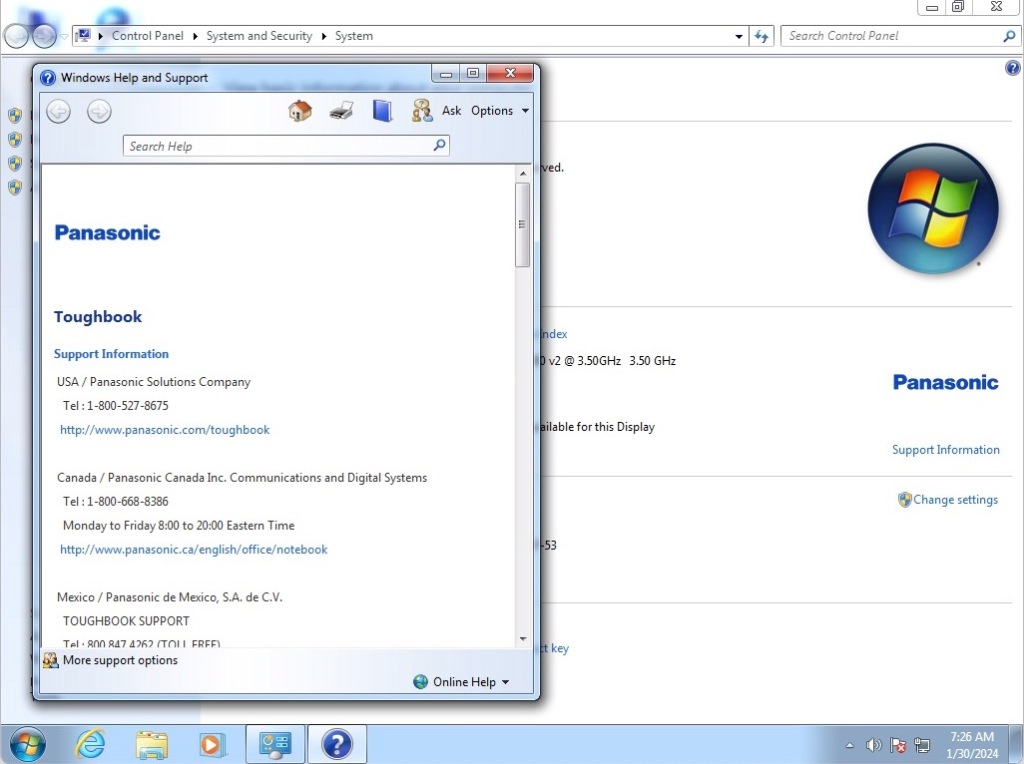
A view of the system info with details of contacting support.

Screenshot

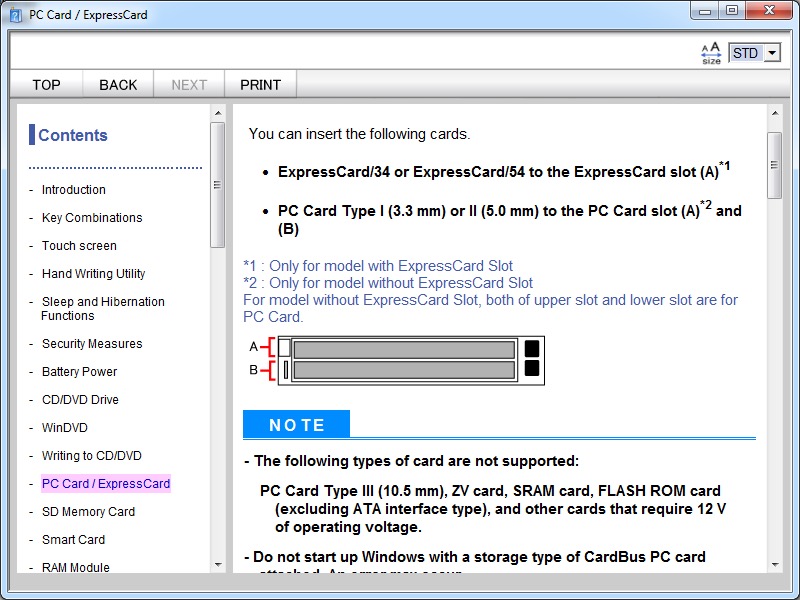
A look at the reference manual that provides instructions on how to use various features the laptop, including how to make use of the removable drive bays. These can be swapped out for a different device or drive, similar to some models of Dell’s Latitude series.

Dual Express card slots, you don’t see these on laptops now. Typically you can add addition wires, USB 3 expansion cards, 3/4G modems or just plain storage devices through these.

The notebook comes with WinDVD playback software included, but refuses to launch as it performs a BIOS check on startup.

Toshiba Bluetooth

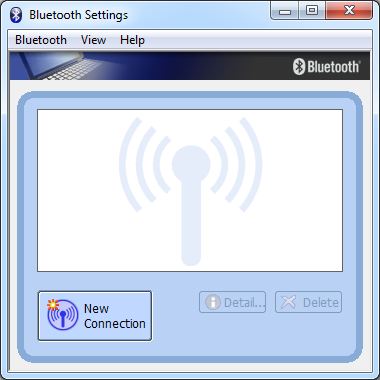
Toshiba Bluetooth Stack: Instead of using the standard Windows 7 Bluetooth utility, it appears to have its own installed. I’ve seen this a few times on Toshiba and Dell laptops so It appears to be common among OEM’s, some users also prefer it over the Windows default stack.

Roxio Creator

Roxio Creator comes bundled with the laptop, Roxio Creator is a software suite designed for multimedia creation, editing, and management. It allows users to create, edit, convert, and burn CDs, DVDs, and Blu-ray discs, as well as manage digital media files.
Audio Cd’s can be ripped or burnt to a disc, if you don’t wish to use Windows Media Player. Data disc images can be managed also, supported formats are iso, go and udi.

It’s a very barebones installation with only a handful of utilities included, as these notebooks were designed to be used in a corporate environment who would install the appropriate software.

Alienware M7700 

Browsing a couple of preinstalled VMWare OEM images and found an Alienware Windows XP install, I was curious to see what an XP install would have looked like from Alienware since this would have been before the Dell acquision. Since this is a preinstalled VMWare images all I had to do was extract and import it into VmWare Fusion.

Product Information

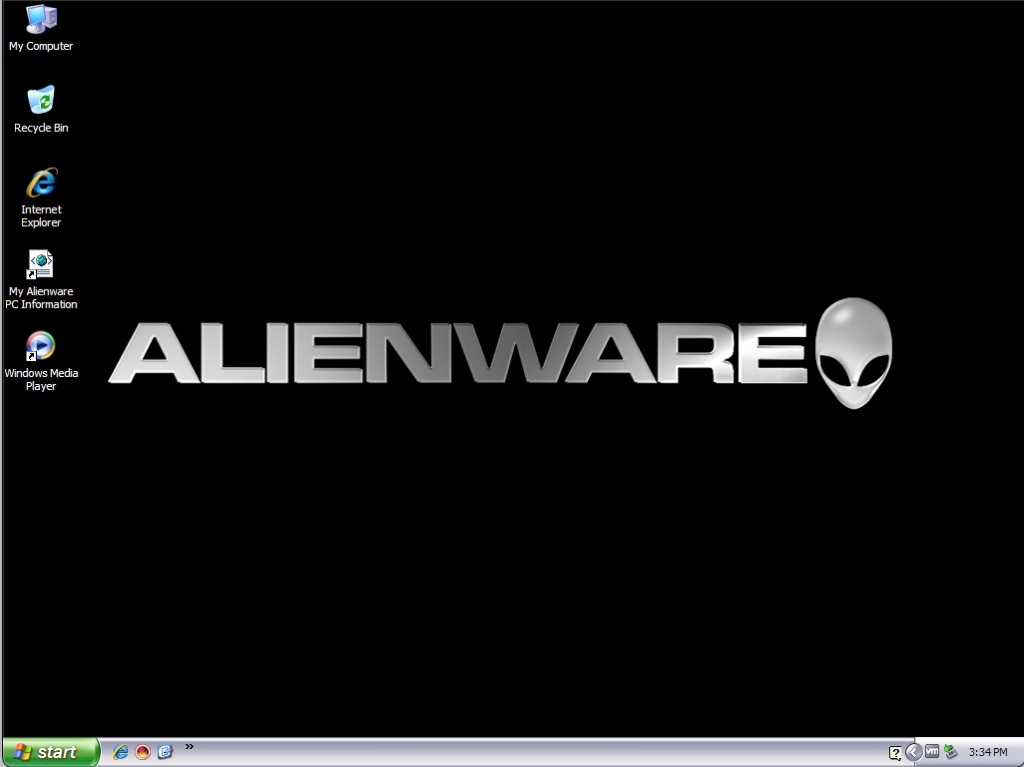
A successful boot up, surprisingly we have not triggered the Windows XP activation. The install appears to be a late generation XP install as wee have Service Pack 3 and DirectX 9c included.

A look at the My PC Information file on the desktop, this contains customer name and account information that I’ve blanked out to stop any possible privacy issues. This goes though the configuration of the laptop as it left the production, and shows the results of the various different benchmarks

125fps in Doom 3, that’s good for a laptop from this era. It appears this laptop is based off the Clevo D900T design, who are a common OEM for laptops for uncommon brands like Medion, Advent, Time/Tiny and RM (Research Machines). Acer/Samsung also did this and are such examples of such OEM’S that sell hardware designed to be rebranded.

Dual optical drives? That’s very rare for laptops in 2006. Makes you wonder how often both were utilised. 

For a lot of PC’s of this era, it was common to see dual optical drives since one would be the DVD-ROM drive and the second being a CD-RW drive. DVD-R drives that could also write to CD existed for laptops at this point, so I’m unsure why they didn’t go for that approach instead, unless you wanted to burn a CD whilst you watched a DVD movie.

A look at the different checks that Alienware go through before the system is shipped, I wonder if they still do this when Dell took over? (Maybe, since there is no sign of McAfee, or any antivirus for that matter)

CyberLink PowerDVD – Designed for the playback of DVDs but also various video files. Also features a screen-capture feature to save screencaps of content.

Alternatively you could use Windows Media Player 10 instead which came bundled with Windows.

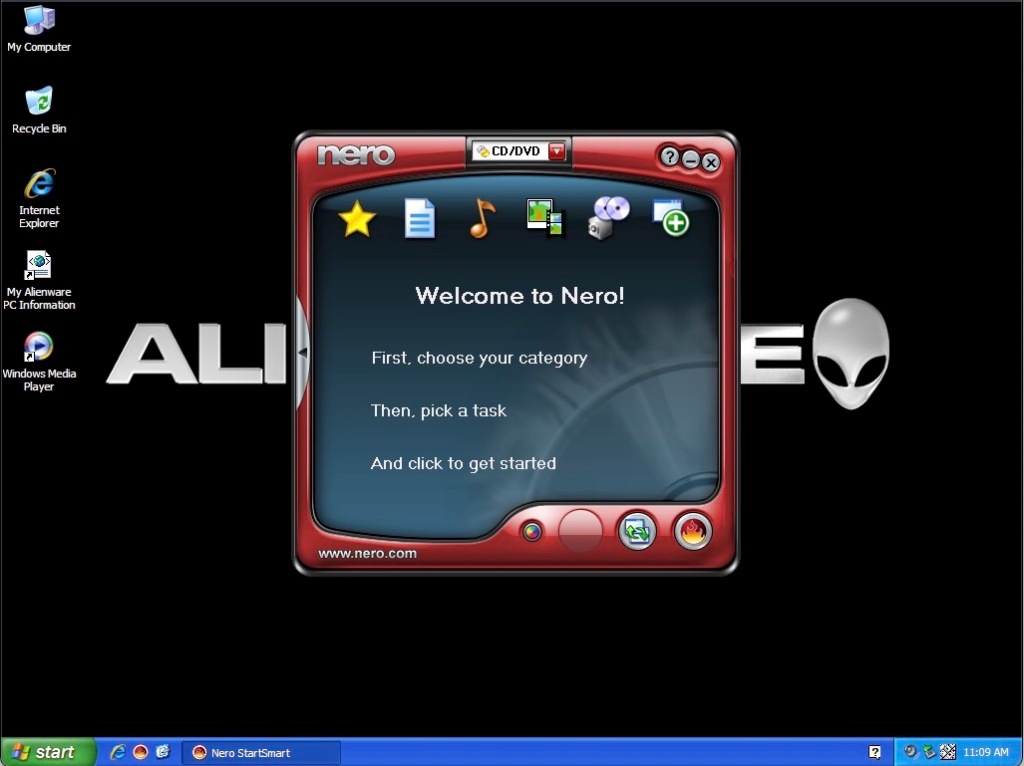
Nero also comes included to copy and burn CD and DVD’s, there is a few components included for multimedia playback.

Nero later developed into full media center software to compete with Windows Xp Media Center Edition.

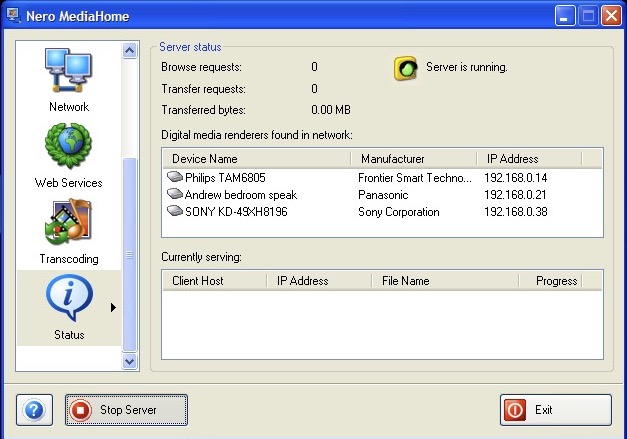
This can also function as a DLNA media server, to share content with the consoles and set top boxes of the era. This actually still works with modern stuff like smart speakers or smart TV’s. Useful since Windows XP did not have support for DLNA media sharing unless you installed the Windows Media Player 11 Update.

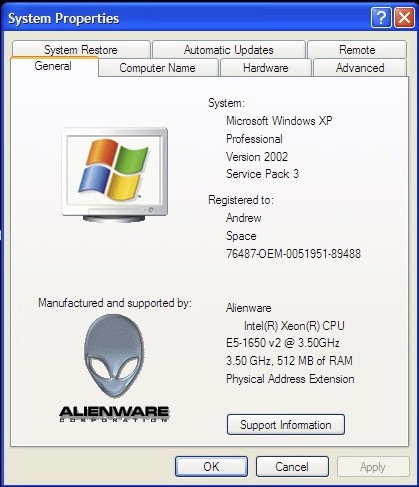
Lastly, A look at the system properties box with the Alienware branding.

Overall it’s a clean install with a few multimedia software packages included. I’m surprised about the lack of game demos since this was designed as a gaming laptop, a few demo’s of games of the era would have been a good way to demo the graphics capabilities of the notebook.

Download – Works in VMWare Player or Fusion