EA recently found the source code for the original Sims games, and decided to bless us with a modern rerelease of the original Sims game with all of the expansion packs and DLC added on, along with an updated Vulkan renderer to allow for support for higher resolutions without hex editing the games EXE file.
Whilst it’s nice to experience the original Sims games in 1440p, there were a few bugs uncovered shortly after launch which EA has been attempting to fix. Whilst looking online, it appears you can unlock the games executable file to allow you to enter cheats which typically cannot be used under normal gameplay. These cheats were intended for when the game was under development and as such were disabled after the game release.
To enable these cheats, you do need to run a conversion tool that decrypts your sims EXE file, since it uses Steam’s protection. Once this is done, we can patch the exe file directly. Do remember that EA are still actively fixing and updating the game, so this might cause issues in the future should EA release an update. As always, backup your game’s files.
The Cheats
Below is a few useful ones that I’ve commonly used, a full list can be found on the Github
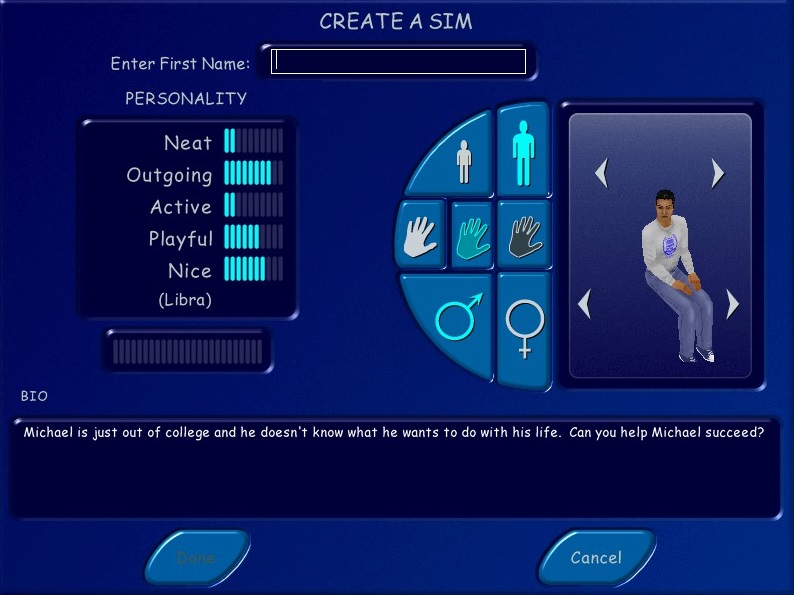
Edit_char: This opens the Create-A-Sim where you can completely edit the selected sim, as if you were creating them for the first time. Useful if you need to change your sims head, body or personality since the game normally prevents you from editing. A funny side effect is if your sim is currently performing an interaction, they will play that animation when you are editing them. This can cause some weird side effects, I recommend having them stand still without any interactions, since the game did lock up after editing.
Move_lots: lets you reposition the lots on the neighborhood screen, useful for cosmetic use but the change isn’t permanent.
Sim_speed: Adjust the speed of the simulation, default is 100
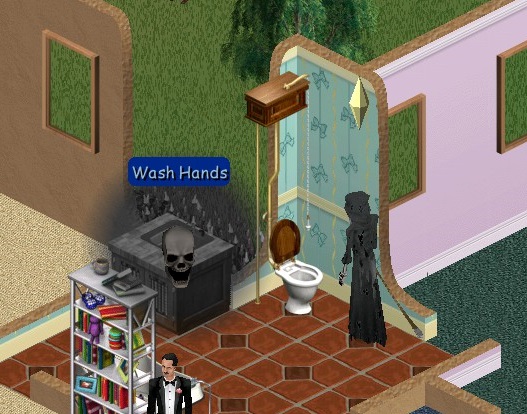
Visitor_control: lets you control visitors by pressing the space bar to select the sim, and then using the mouse to issue commands. Depending on the NPC there are a limited set of commands you can give, visitor sims like neighbors have access to a limited set of interactions like watching TV but they cannot use the phone or take a bath. True NPCs like the Maid, Mime or Police officer are a lot more restricted, you can only use the toilet and watch TV.
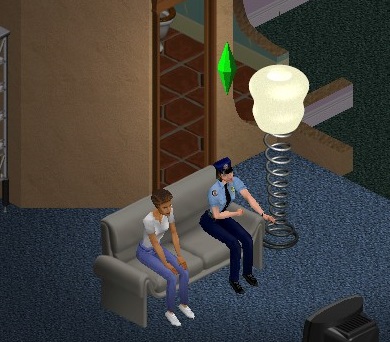
Set_hour: Missed the carpool? just set the game to a couple of hours before (set_hour 10 for 10:00AM, or set_hour 15 for 3:00PM)
Lot Swapping
By using the swap_houses cheat, its possible to swap occupied and unoccupied lots around, even with lots that do not appear on the neighborhood selection screen. By using for example, Swap_houses 03 06, lots 03 and 06 will swap their positions on the neighborhood screen, along with their family. Since lots can differ in plot size, its recommended to swap with lots that are of the same size, but there are no negative effects with the exception of the neighborhood screen looking a little odd.
Now I did wonder what would happen if we were to swap lots with houses outside of the game’s normal range, and if the house were to remain playable. The answer is you can, but there are some weird effects.
First since we are swapping, we need to actually create the house files for the game to swap with. Originally the game assigned Houses 1-10 for the main neighborhood, House00 being intended for NPC’s and House11 not having any noticeable use. Hot Date used House 20-29 for its downtown lots, along with On Holiday for the 3x range. Now the Unleashed expansion did add a plethora of lots to use with the large neighborhood screen, but oddly did not use the House 11-19 range and to my knowledge, no expansion has ever used this range. I’m unsure if Maxis had any plans for this range or if there was a technical reason why this was never used.
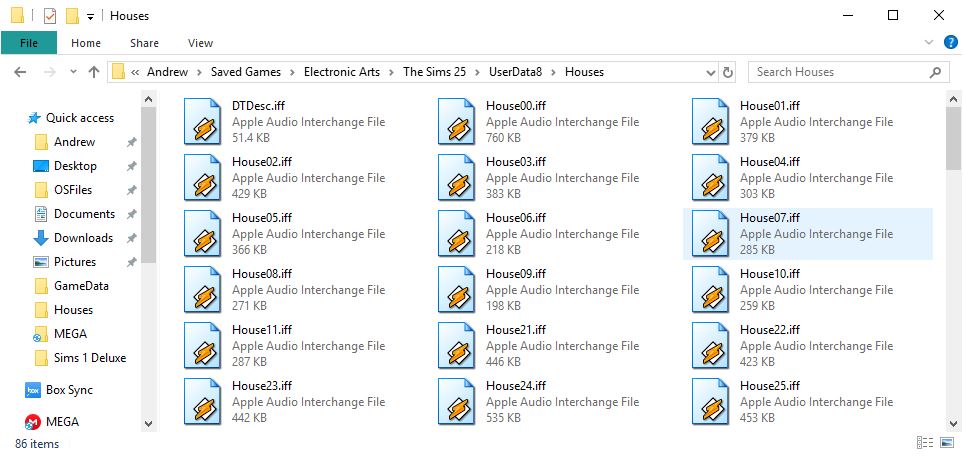
To add lots to this range, You can simply navigate to the game save directory, This is located in the Saved Games folder located in your Documents folder. You can them copy an existing Housexx.iff file and rename it to say House12.iff
With the debug cheat, you can force the game to load the lot by typing ‘Lot 12’ or ‘House 12’ into the cheat box (Ctrl+Shift+C). Once the lot loads, this is where the weirdness starts.
If the lot is vacant, as in there is no sim that is moved in, you can edit the lot but you cannot save. You also are unable to purchase or build because of the balance being 0, but by using a money cheat, you can indeed enter build or buy modes but you are still unable to save.
If the lot is occupied, lot will load but the sims will initially be missing. You can restore them by clicking on their portrait panel which will spawn them onto the lot. But they will not move regardless of the free will setting. Many objects like the telephone or refrigerator cannot be used or interacted with and NPC sims will not walk by. No carpool will appear, so sims cannot get to their jobs and earn money. Of the objects that do function, some of the interactions are not available. The bookcase only allows for you to read a book, you cannot study for any skills.
Lack of a functional phone means you cannot call other sims, However they do appear in the phonebook if you have a neighbor sim that wished to contact them.
I should mention this behavior affects lots 12-19, but lot 11 appears to function normally for the most part, suggesting this was originally supposed to be playable from the hood screen. I’m interested as why the game will not process normally when lots are loaded this way, with the exception of lot 11.
Overall, it’s an interesting way to add more families to your neighborhood. Whilst you cannot directly play the lots, you can swap them with the lots on the neighborhood screen, and then just swap them back. They will still appear as walkby’s, on community lots and in the phonebook and if you don’t mind using the swap commend when you wish to play that family, its mostly fine.
I’m actually curious if there is a way to add more lots onto the neighborhood screen, from inspecting the .iff files in each userdata, it’s possible to change the lot names and descriptions, but I cannot see where the game determines 1 Sim Lane as House01.iff
 Drew1440: Blog