Another day another VAIO. This one is A Windows ME desktop PC orientated with video and multimedia features. Whilst eMachines, HP and Compaq were after the low end market with internet ready PCs, Sony hung out in the multimedia sector with their machines being built out of box for photo and video editing with its bundled software and iLink support for DV cameras.
The VAIO desktop with a cool blue background
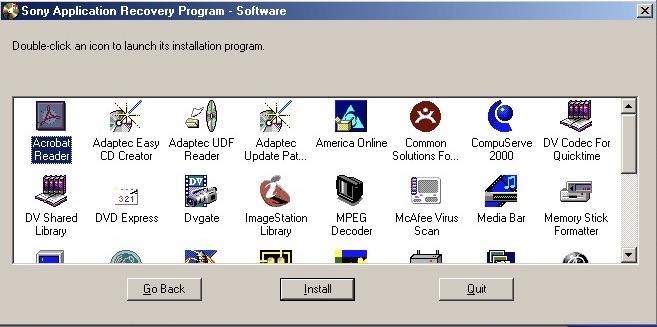
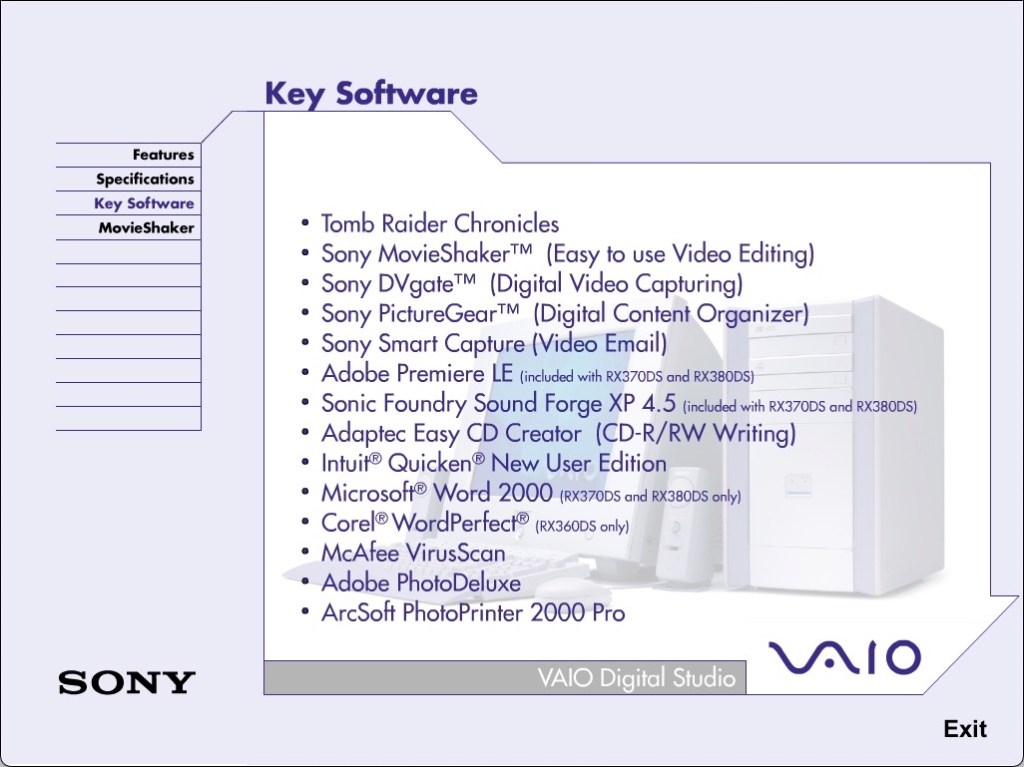
Some remaining software that needs to be installed
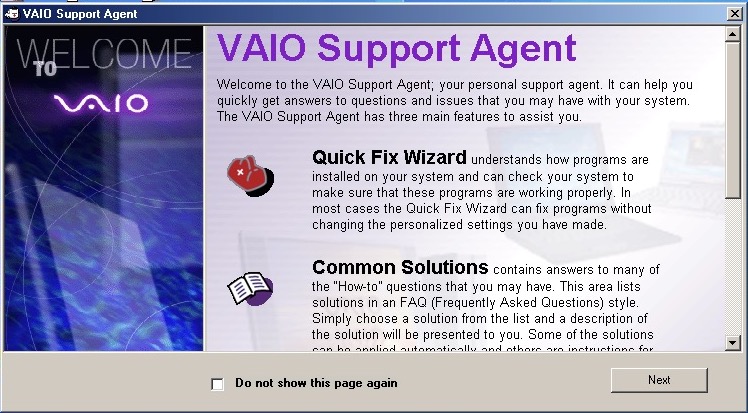
The VAIO support agent which features a quick fix wizard to diagnose problems with your installed applications. Not exactly sure what this does but it might undo any changes made to applications.
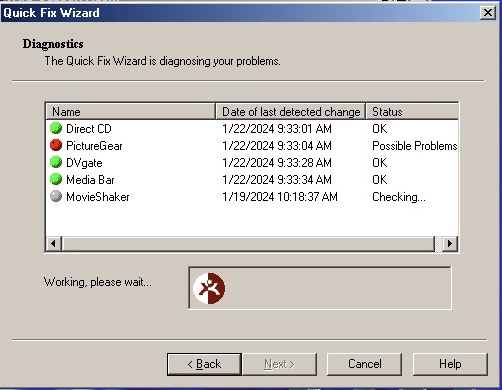
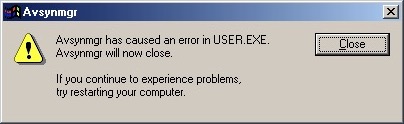
Issues with PictureGear already?
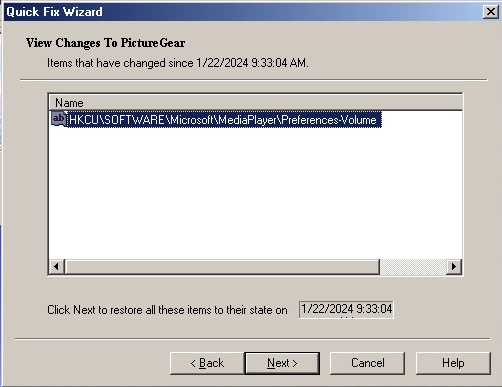
Looks like a registry setting has changed. My guess is to not mess with it unless there’s an actual issue with the software.
The VAIO tour which is also set as the default screensaver. This is an advertisement of the computer itself and its features and would have been used in a shop setting.
Sony Screenblast take you to a website, sadly It wasn’t archived well. According to a few older articles it was a video editing and music creation software you could purchase for editing.
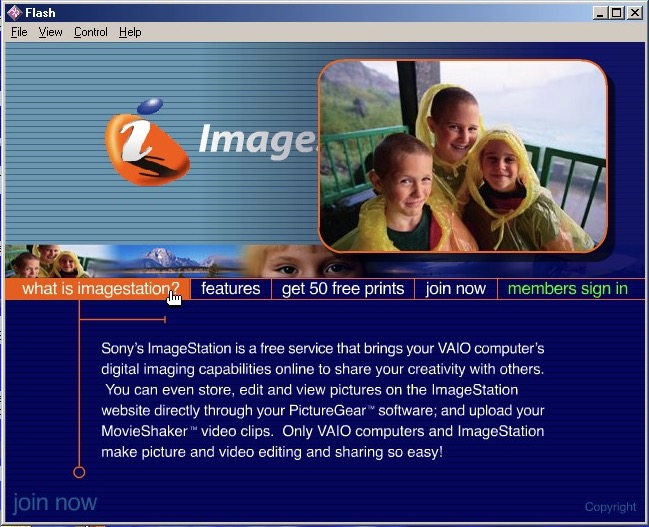
ImageStation – Sony’s solution for printing images online, like HP’s Snapfish. Photo printers were still expensive at the time.
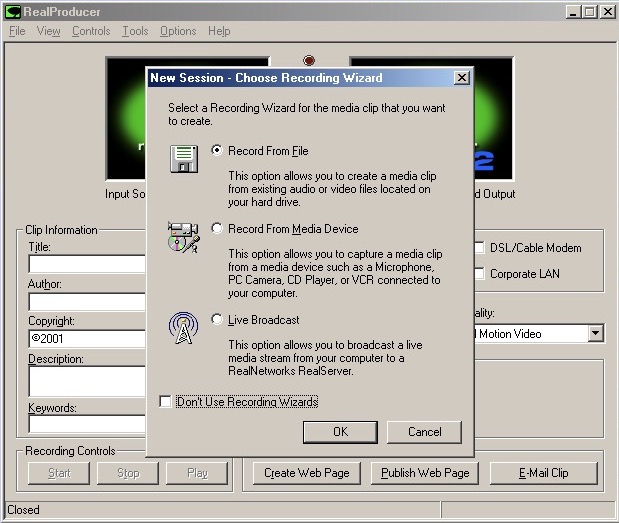
RealProducer – capture digital video or still images from a capture device
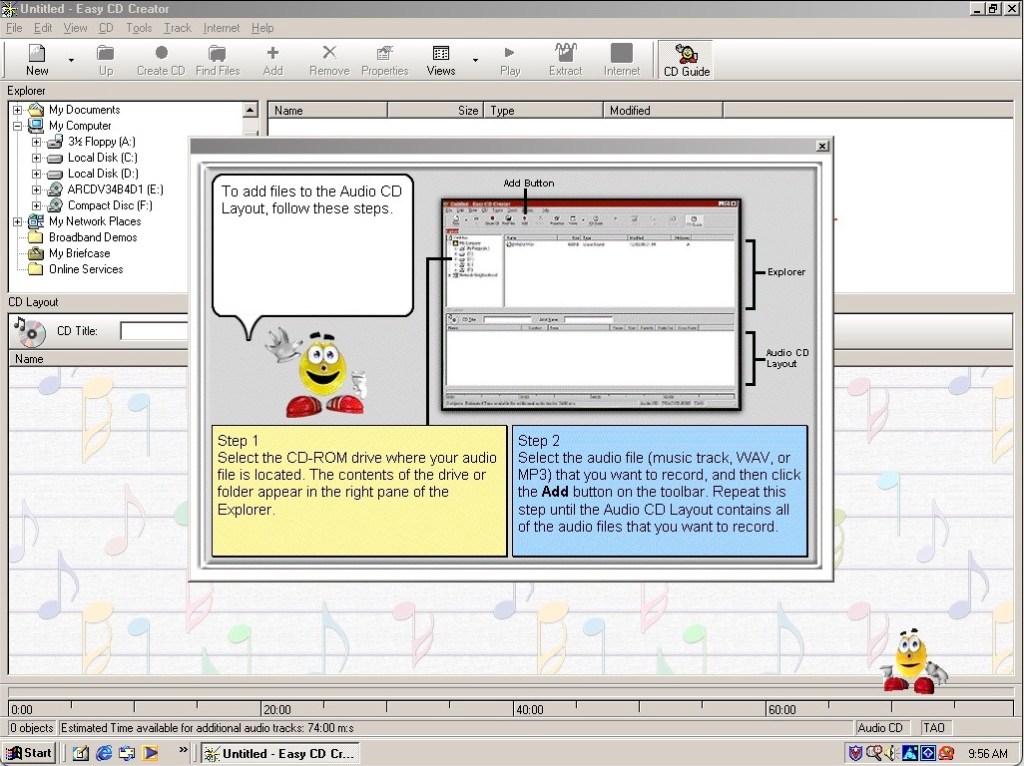
Adaptec EasyCD creator 4 – As Windows ME did not provide support for CD burning from within explore, you needed dedicated software to do that instead. This kind of system would have come with a CD-RW drive, along with a DVD-ROM drive installed as the secondary drive. You also have an assistant in the style of the Microsoft Office assistants, to guide you through the burning process.
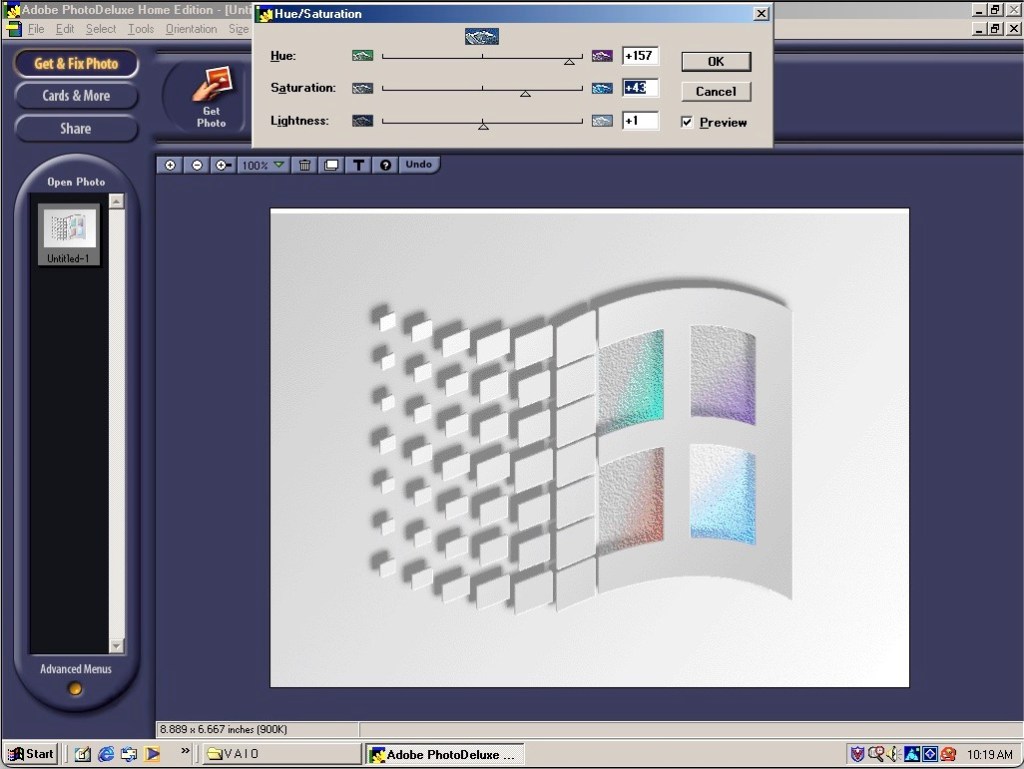
Adobe PhotoDeluxe – An entry level photo editing software for manipulating photographs and can be used to make greeting cards. It has an easy-to-use interface, making it accessible to users who were not necessarily experienced in graphic design or image editing. Basic image editing tools provided were as cropping, resizing, rotating, adjusting brightness and contrast, and applying various filters and effects.
DVgate Motion, MediaBar, MovieShaker, PictureGear and VisualFlow are other bits of software included that only runs on a Sony VAIO system, due to the BIOS check.
The system does come with Tomb Raider Chronicles preinstalled. Not the best Tomb Raider but does serve as a good demo of what the graphics hardware can do.
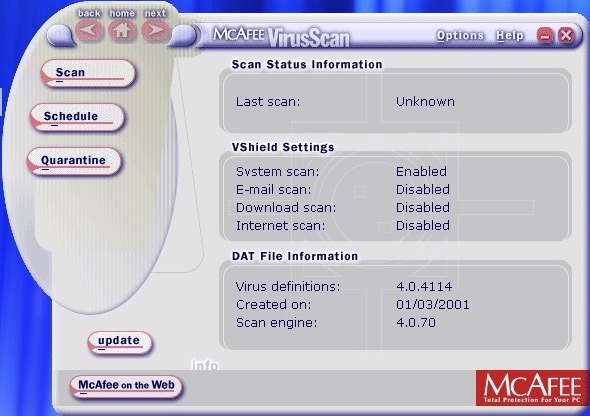
McAfee security comes as standard
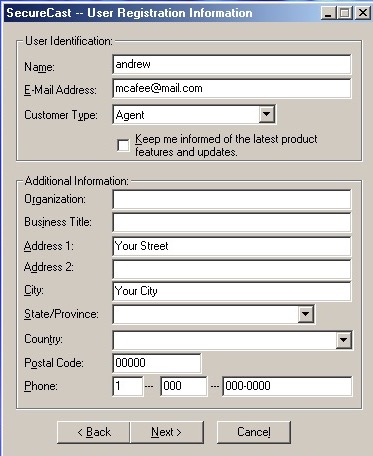
Trying to download new updated virus definitions, McAfee wants address and location details just to update.
The Sony Xperia Z2 was a flagship smartphone released by Sony Mobile in April 2014. It was part of Sony’s Xperia Z series and was designed to be a high-end device with a focus on water and dust resistance, camera capabilities, and premium design which set it aside from competing handsets of its time.
Competing smartphones of its time was the Samsung Galaxy S5. The HTC One M8 compared favourably but had perceived better audio quality owing to its front facing speakers.The LG G3 also beat it in the display department, offering a Quad HD display. However the Xperia offered more memory, a better camera and generally a larger display.
The Xperia Z2’s design – it’s unmistakably Sony. Glass on the front and back, sandwiched with a solid metal frame. The overall aesthetic screams premium, no doubt. But be ready to deal with some smudges and fingerprints, because this thing attracts them like a moth to a flame. One standout feature was the water and dust resistance, with the handset offering cover flaps for both the charging and card slots which set it apart from other handsets, but its glass back frame was a source of weakness, with owners reporting broken or cracked backs from minor drops. It was imperative to use a third party case, which detracted from the appearance of the phone.
The Xperia’s main menu, very close to the stock Android interface few a few Sony enhancements. Also note the Sackboy from LittleBigPlanet and what I assume is the main character from Medieval, two of Sony’s game franchises.
Still theres a distinct lack of Kratos from God Of War.
Swiping right takes you to another home screen, here you can see the clock, Google search box (which is a widget that can be changed to any search engine that you like) and shortcuts to Google’s services.
The lock screen, which provides shortcuts to the camera when you swipe up in that direction. A common design you will see are waves, which were similar to what was seen on the PS3 XMB and the PS4 home menu, I guess its Sony’s thing
Included Apps
Xperia Lounge: It was designed to offer Xperia users a variety of exclusive content, offers, and experiences that were tailored to their devices and interests. The app aimed to provide a unique and personalised experience for Xperia smartphone owners, offering access to a range of content and perks that were not available to users of other devices. Mainly this was ringtones, themes and wallpapers, though some offers were promoted, mainly for obscure services/products that no one would ever use like vegan chocolate.
PlayStation: Should need no introduction, this was Sony’s app to manage and view your PlayStation trophies and friends. You could also access the PSN store.
Music: Sony’s music player, though I’m a little disappointed with the lack of Walkman branding, considering at one point Sony had Walkman phones.
Music can be sorted by Artist, Album, Genres or the entire list of songs can be displayed. If album art is saved it will be displayed also. Podcasts also have their own category.
Music can also be streamed directly from Google Drive.
Album: Photo viewer, photos captured with the camera will appear here.
Camera: Both still images and videos can be captured, and Sony have offered additional customizable settings to fine-tune the image before it’s captured. Sony also offers additional apps for specific effects like panorama, timeshift video and 4K capture. Since these are separate apps you will need to go through the permissions malarky the first time you launch these apps.
The Xperia Z2 has a dedicated analog camera button that helps control the focus when capturing an image, similar to the two-stage camera button that was common on Windows Phones.
Support: A help center where users could get more information on how how to use the phone, or how to perform specific features. You can also find out detailed information of the handset itself such as memory usage, or perform hardware tests if you are experiencing issues with the handset.
You can also set an automated backup, which can use the SD card, USB storage or an online service
The STAMINA feature lets you prolong battery life by reducing power usage when the battery hits a certain threshold, very similar to the battery saver feature of Windows Phone. There is also an ultra STAMINA feature, which reduces the phone to a feature phone, ideal if you’re going on a camping trip for the weekend and need to conserve battery power. Though why not just bring a power bank?
Email: A basic email client to connect to email services that didn’t offer their own mobile app. As long as POP3/IMAP is supported, the amp and connect and synchronize with your provider. Most users would typically use either Outlook/Gmail or Yahoo Mail.
Microsoft Exchange was also supported.
Weather: Sony’s stock weather app, powered by Accuweather. Surprisingly this still works well and is able to bring up weather information from my local area.
Calendar: Your standard calander app
Newsfrom Socialife: Sony’s news app. The app aimed to curate news articles, blog posts, and other online content based on users’ interests, allowing them to stay informed about topics they cared about. The app would aggregate news articles, blog posts, and other content from various sources across the internet and present them in a personalized news feed. The content displayed would be based on the user’s selected interests and preferences.
Users could choose their favorite topics, categories, and sources to tailor their news feed to their interests. This allowed users to receive updates about subjects that mattered to them. The app also supported offline reading so that articles could be read in the event they no longer had access to date, ideal if you travel the underground subway/railway.
As of 2023 the app is now dead but was replaced by News Suite, which is still a thing on modern Xperia smartphones, at least on my Xperia 1 IV.
Calculator: Your standard calculator, appears to license some code from SGI (Silicon Graphics) which was a major workstation vendor.
Clock: Standard clock application that is similar to other apps of this type. Includes a stopwatch, alarm clock, clock that supports multiple time zones and a timer.
Lifelog: This was designed to help users track and record various aspects of their daily activities and experiences, creating a digital “lifelog” of their interactions, movements, and habits. The app aimed to provide users with insights into their daily routines and behaviors, with a focus on health, fitness & entertainment. The main features of this app were Activity Tracking, The app used sensors like the phone’s accelerometer and GPS to track physical activities, such as walking, running, and cycling. It could also monitor your movements throughout the day. Additional features were sleep tracking, health insights, goals and social integration. In many ways it was similar to the FitBit app.
Sketch: Sony’s own version of MSPaint, allows you to freehand draw using either the brush, pencil or sticker tools. Shaps can also be added and there’s various image manipulation tools like smudging
The background can also be changed to give the appearance of writing or graph paper, which can also be customized.
There is also an option to place stickers onto your drawing, of which Panda themed stickers are included by default. At one point you could download additional sticks from Sony online, but has since been discontinued.
TrackID: Sony’s own version of Shazam, which has access to the Gracenote database. The app was designed to quickly identify the title, artist, and album of a song playing in the background, which was particularly useful for discovering new music or identifying tracks you encountered in various settings.
AVG protection: Virus protection was a thing on Android, and Xperia’s were commonly bundled with AVG which offered basic protection. With the option to upgrade to a paid version which offered better support.
Well at least it’s not McAfee or Norton.
PS Video: A video-on-demand store where you could purchase movies and TV series boxsets to own, which could then be played on the PS3 or PS4, or if you had a smart Bravia TV. Not to be confused with PlayStation Vue, which was an OTT streaming service limited to the US.
File Commander: A third-party file manager application funded with the phone, and one of the few apps that has adverts. Files can be browsed on both the internal storage, and the SD card if one is inserted. This appears to be a limited trial that requires a license to be unlocked.
Smart Connect: Lets you setup and enable certain events to trigger when you connect an accessory, like a headset or charger. For headsets you can set the phone to automatically open the music app and set it to only happen within set time period. You can also use this for timed profiles, where you can set the phone to go on silent mode between a set time period.
Kobo eBooks: A bookstore that competes with Amazon’s Kindle, preloaded partly as Sony had discontinued their own bookstore for their eReader series.
Navigation: A rebranded Garmin client, servers as an alternative to Google Maps and makes use of the assisted GPS feature of the phone.
TV SideView: TV SideView was designed to serve as a companion app for Sony’s BRAVIA line of smart televisions. It allowed users to control and interact with their Sony smart TVs using their Xperia smartphones. It can be used as a remote control (requires the TV to be connected to the same network) a program guide powered by Gracenote, and content recommendations for upcoming TV programs. This still works with modern BRAVIA Android TV’s and will pull the current channel list along with TV listings.
Messages: Supports SMS and MMS, with custom stickers.
Notification & Launcher
Sony’s launcher is very similar to what you would find on a stock Android handset, complete with multiple home screens. The home screens can be customized with custom icons or widgets.
Xperia Keyboard, Sony would later switch to the Switfkey keyboard, additional skins can be selected to customize the keyboard
One-handed mode is a feature to make the phone easier to use.
Sony have their own set of emoji’s that can be used over the stock Android ones
The task switcher, the bar along the bottom appears to be some soft of quick launch bar. The default options are Internet Browser, Timer, Calculator and Screen capture (Which allows you to capture the window itself, like the Windows snipping tool)
Settings
The settings menu is divided into different sections for easier navigation:
Wireless & Networks: Connect to a WiFI network, Bluetooth. In the Device Connections menu, you can ‘Throw’ media onto an external display using either screen mirroring or DLNA, if the TV supports either of these. The Throw feature integrates with Sony’s media apps, giving a unified experience. There are separate options for casting and screen mirroring which are managed by Android.
This might be because screen mirroring was included as standard in later Android versions/updates, but was not at the phone’s release.
Alternatively you can set the phone to be a media server, and have your devices connect to it instead.
Another feature is the ability to pair a DualShock 4 controller, which is the standard PS4 controller. This is useful for playing games that support the Android controller API. This didn’t work on three of my controllers (CUH-ZCT2E) the first couple of attempts, but after closing and resetting the Bluetooth I eventually got it to pair, as it would attempt to pair but would then fail.
Once paired you can controller the phone via the controller and can navigate base menus.
The Device section gives you settings for personalization, such as themes, display, notifications & sound. Theme in particular can be downloaded and applied. to the phone and can change the colour scheme, icons and background wallpaper.
DirecTV partnered with Tivo to produce DVRs for the digital satellite TV services, alongside the UltimateTV. This would become the standard DVR for DirecTV subscribers from 1999 to 2005, when DirecTV introduced their own custom-developed units based on NDS middleware, similar to Sky+ in the UK. The last remaining Tivo DVR was the THR-22.
Typical Tivo units were manufactured by Humax, Sony and Hughes
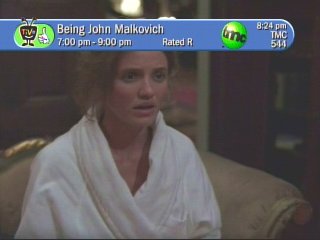
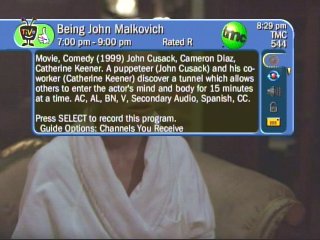
Tivo channel banner
The channel information banner that shows what is currently being watched, a description of the current show, and icons on the right allow quick access to Tivo features
Tivo uses the thumbs Up/Down rating system for the user to provide feedback about the programs they prefer watching and the ones they prefer to avoid. This influences the Tivo suggestions that the DVR will record.
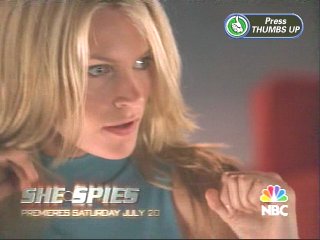
An iPreview icon, Pressing select or the thumbs up icon takes you to a Tivo Central message advertisement
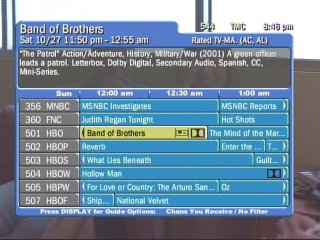
The main EPG interface, Showing channels in a grid interface
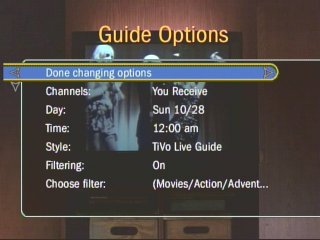
Most of the Tivo menu are straight vertical lists and are easy to navigate with the remote control. You can customize the guide interface and set any additional filters
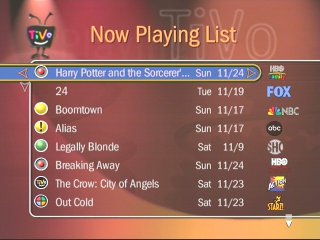
A list of recorder programs, when they were recorded and the channel they were recorded from
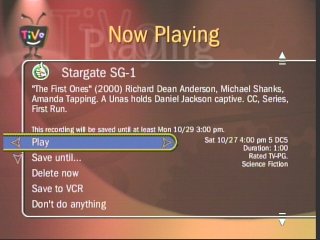
Tivo gives additional options when playing back a program, you can archive to a VCR instead, and you can prevent the Tivo from deleting the program if it needs more space.
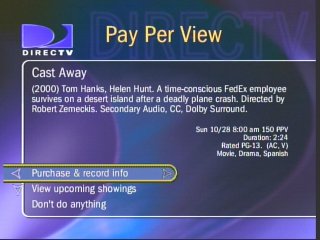
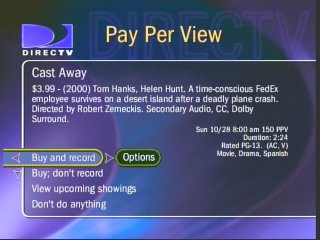
DirecTV Tivo was integrated with DirecTV’s pay-per-view services, and movies/events could be recorded to its hard drive
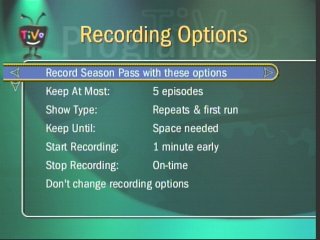
You can add an additional buffer for recording TV programs to prevent them from being cut off in the event it overruns into the next program, similar to PDC (Program Delivery Control)
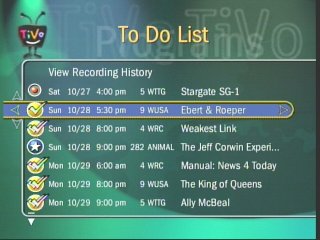
List of upcoming programs to be recorded
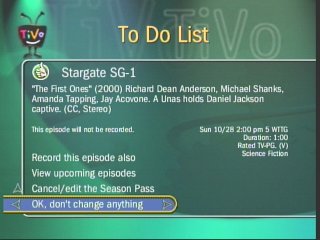
To Do List shows the programs Tivo is about to record as scheduled
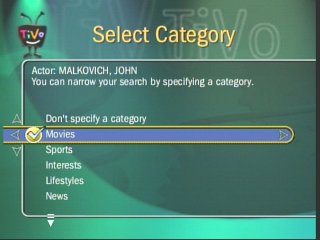
You can filter to a specific genre of program
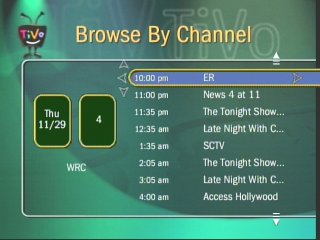
Choosing a channel and listing all the programs broadcast
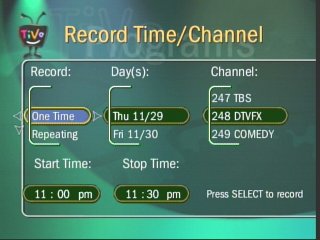
Setting up a manual recording
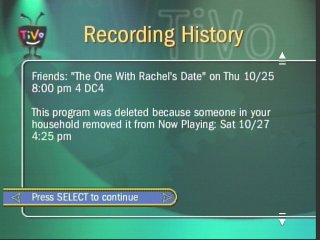
Recording history for a show that was deleted.
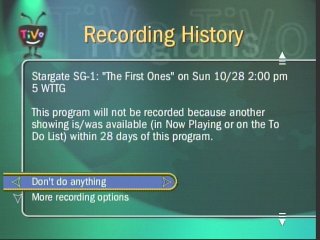
Tivo will alert you if a program will not be recorded due to a schedule conflict, due to the limited amount of tuners
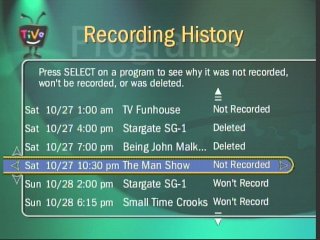
Tivos Recording history shows what was recorded, anything that didn’t record and what was deleted
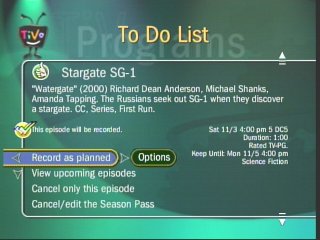
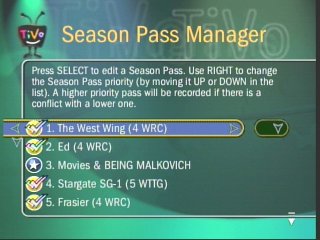
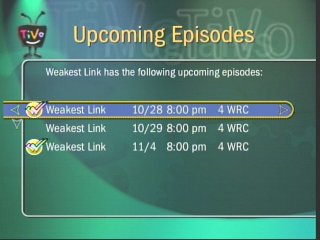
Season passes are akin to series links, where the Tivo will record a series of episodes of the same show automatically. You can modify and remove these at any time
Upcoming episodes to be recorded, as part of a season pass
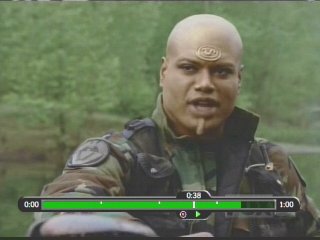
The time bar, shows how long you are into a recording, this appears when you pause, fast forward or rewind during a show.
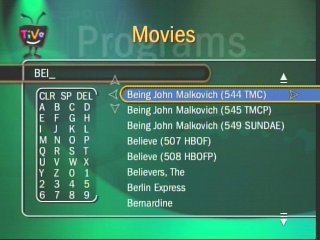
The search feature, cab be used to find upcoming shows or movies
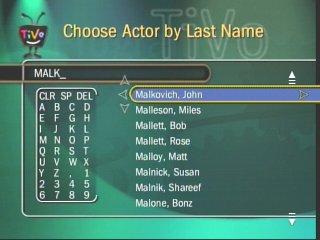
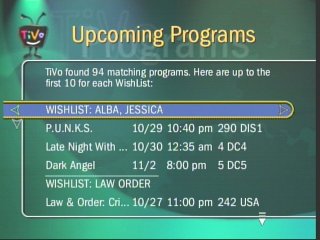
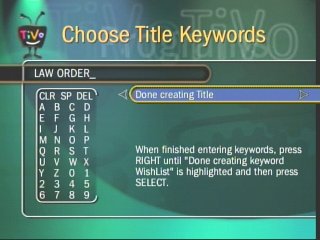
Wishlist main menu, you can set a Wishlist for a specific actor, and keywords (like the show title), you can then set a season pass to record any program matching that Wishlist keyword.
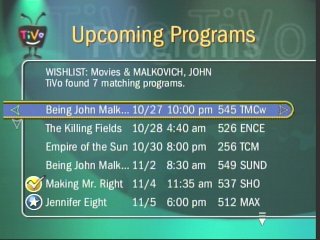
The results window when searching for a specific actor, any upcoming shows are listed that feature that actor
Again, very similar to the title keywords
Tivo showcases are like interactive apps containing clips that can be downloaded to your Tivo, they also serve as promotions for subscribers
Ultimate TV was a partnership between DirecTV and Microsoft, who were looking to expand their WebTV platform. The DISH Player had launched a year prior with DISH network, and has also used the WebTV platform as a basis of its DVR software.
DirecTV also launched a DVR with Tivo, known as the DirecTivo which integrated two DSS satellite tuners into the Tivo system, which allowed for two channels to be recorded at the same time. Something that could not be done on the regular Tivo’s of the time, which required an external set top box to be connected.
Hardware was manufactured by RCA and Sony who had also made standalone WebTV hardware. Receivers typically came with a 40GB hard disk and twin DSS tuners
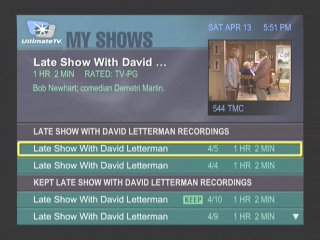
My Shows
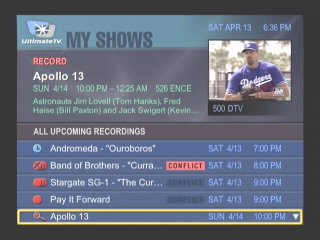
List of all recordings made, and any upcoming shows to be recorded
Another screenshot of the My Shows section, this time with recordings grouped by title name
More recordings of different episodes of the same show
At launch dual channel recording was not possible, and inital functionality c
Interactive
An interactive prompt, WebTV was one of the main interactive platforms
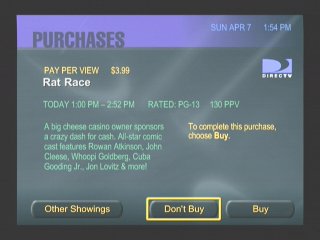
Pay-Per-View
PPV movie and events could be ordered and recorded
Favourite Channels
Separate lists can be made to store favourite channels
Category Search
Searching for a specific program, you can choose from various filters
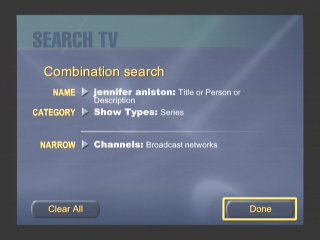
Searching by actor and a combination of categories
Someone here was clearly a fan of Friends
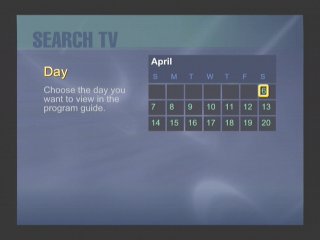
Searching by Day
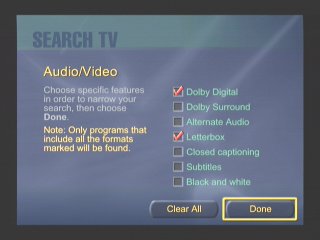
You can filter to a specific feature that a program supports, like subtitles
Search by age rating
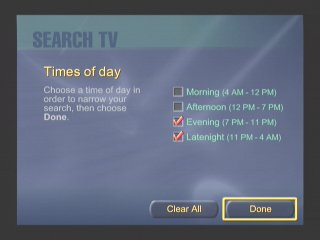
Filtering by the period of day
Or by decade period
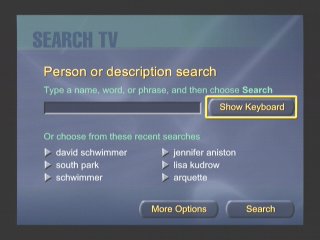
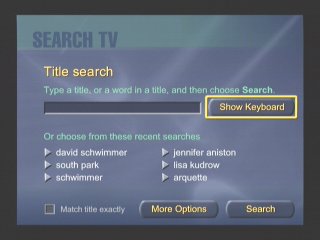
Or by a search term / keyword. This was similar to what Tivo had offered
Additional Search terms
DISH Player
Dish Network also had their own DVR which ran using the WebTV middleware, known as the DISH Player. This was very similar to the UltimateTV but was released one year prior. Two models were released, the 7100 and 7200, both manufactured by Echostar and feature a single tuner. The 7100 has a 8GB Hard Disk, whilst the 7200 has 17.8GB.
A software update was released in December 1999 that enabled full DVR functionality. Prior to that it was only possible to live pause TV for 30 minutes. A $10 subscription fee was required, reducing to $5 if you took out a WebTV subscription also.
Images were originally captured from iwantptv.combefore the site went offline
Channel 1 is the PTV (personal TV) channel, which is where the DVR is managed. You can view recorded shows which the DVR can self manage, older watched shows are deleted automatically to make space for upcoming shows.
TV Home: The main screen where you can access the guide, personal TV and any other services offered by WebTV and DISH Network.
Settings: Change receiver settings
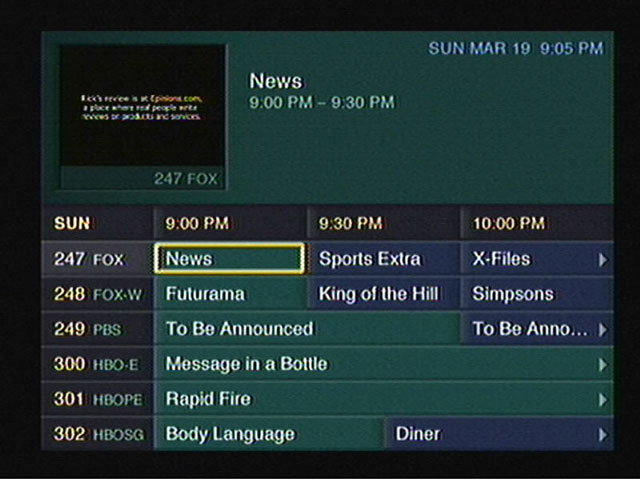
TV Listings: The main TV guide and search engine
Web Home: Opens the WebTV browser
Help: Gives you information on how to use the receiver
Purchases: Pay Per View shows will appear when when purchased
TV Sites: TV Channel related sites like Fox News, CNN, etc
Games: Basic games that have been downloaded to the hard drive
Notices: Displays any messages sent to the box like service announcements
Only satellite programs can be recorded, OTA terrestrial ATSC channels can not be recorded, only watched live.
Conclusion
Microsoft didn’t last long in the North American DVR market, and the WebTV based DVR’s would be replaced not long after. DirecTV continued their partnership with Tivo and would eventually introduce their own branded DVR’s running NDS XTV software. DISH would replace the DISH Player with their own DISH DVR models.
Part of the reason was the poor initial reception due to the poor and buggy software during the early years of WebTV DVR’s, with reports of freezing and missed recordings, along with audio and visual glitches. It would be some time before these issues were sorted out, and Microsoft wasn’t very engaging on the software side of things which made it difficult for DirecTV or DISH to push software updates.
This wouldn’t be the last we would see of Microsoft attempting to enter the set top box market, the Mediaroom middleware would launch and power the ATT U-Verse and BT Vision services, and would also demo the Microsoft TV Foundation Edition for the Comcast/Motorola DCT platform.














 Drew1440: Blog