Monthly Archives: June 2026

MusicMatch v5

MusicMatch was one of the many media player applications that was geared towards the emerging Mp3 revolution. As Windows 98, one of the common operating systems of the era lacked built in MP3 support, it was necessary to install a third party application to facilitate MP3 playback and recording. MP3 players were also coming on the market, which required the use of a dedicated software package to manage them.

The MusicMatch installer, which later prompts you to register your email address

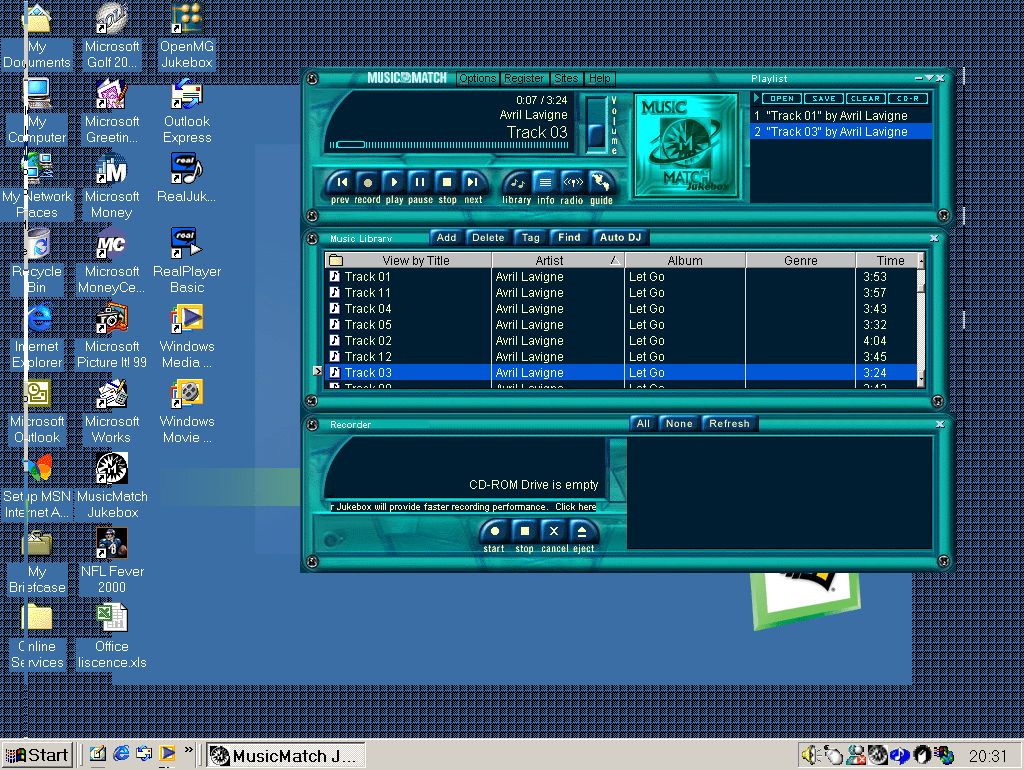
After the install, we are treated to a skeuomorphic-like interface that resemble a vintage hifi. Here we can see the software divide into several sections. The player section where we can control the music playback and the current playlist. The Music Library which shows the MP3 tracks we ‘recorded’ from our audio cd (or acquired online somehow). Towards the bottom there is the Recorder that lets you import music from an audio CD.

The interface isn’t your standard Windows design, and you cannot maximize the window which makes the program appear cluttered, especially when you have songs with long strings. There is a compact mode which is intended to show song information whilst you are multitasking with another program like a web browser.

The Recoding section is where we can import our audio CD’s into either the MP3/WAV or WMA format. This is also known as ‘Ripping’ as later applications referred to it. Recording could also refer to how they had to actually record the CD audio stream, as many early PC CD-ROM implementations didn’t send the CD audio over the IDE interface, instead using the analogue Cd audio that was connected to the sound card directly. Recording audio in this method was slow because it had to actually capture the audio in real-time, so an 80 minute CD took that long to record onto the hard disk. In contrast, MusicMatch supports digital audio where the audio data can be sent through the ide (And later SATA bus) for faster importing.

Musicmatch supported the used of a CDDB database to locate CD song titles. There are projects to help revive this functionality, however I was able to get MusicMatch to obtain the track listings. Possibly this is using a non-standard format or is hardcoded to use Musicmatch’s own servers. So for now we have to manually type this in. Conveniently you can set the artist and the album which will be applied to the songs in the album, but song titles will need to be added manually one by one.

Formats supported are MP3 and WMA, the latter being Windows media Audio. Audio quality is grouped by how relative it is to either FM and CD audio. Oddly it defined a 64k MP3 as the same as WMA, whilst the latter is supposed to be more efficient at lower bitrates. You can also manually set the bitrate, going as low as 8k for MP3 which sounds horrific. Unlike Windows Media Player and RealJukebox, Musicmatch does not have its own format, instead MP3 is the default supported codec.

Some of the quality options seem too low, but as many entry level MP3 players had shipped with only 32Mb of memory, having the option to encode files at a lower quality was useful for those concerned with disk space. You can also convert existing files, however reencoding and compressing MP3 files adds additional compression artifacts and is really intended for converting WAV audio.

There are also links and a built in browser to download and purchase MP3 files. This was during the emergence of piracy that was becoming widespread through out the media, so it was imperative for Musicmatch to focus and promote legal MP3 stores. But. DRM(Digital Rights Management) was compulsory for copyrighted Mp3 files, which affected how you could transfer and playback music to other portable devices. It was a dark era where record companies were trying to figure out how to distribute music online and is thankfully no longer the case.

Musicmatch also has a professional edition that you could purchase, this upgrade allows you to record music CD’s faster, jewel case printing and support for high quality bitrate.

Portable devices supported include the RCA Lyra, Creative Nomad and the Diamond Rio. You can sync individual track or an entire playlist. If you were lucky enough to have an CD-R drive you can also create traditional music CD or a Data CD using MP3 or WMA.

Lastly a preview of the included themes, Digital Age, Midnight Swin, Reverb and Titanium. Additional themes could be downloaded from the Internet.
RealJukebox

RealJukebox was Real Players (Networks) entry into the digital music market. RealJukebox supports MP3 and WAV playback, Cd audio ripping and also operated a limited online music store.

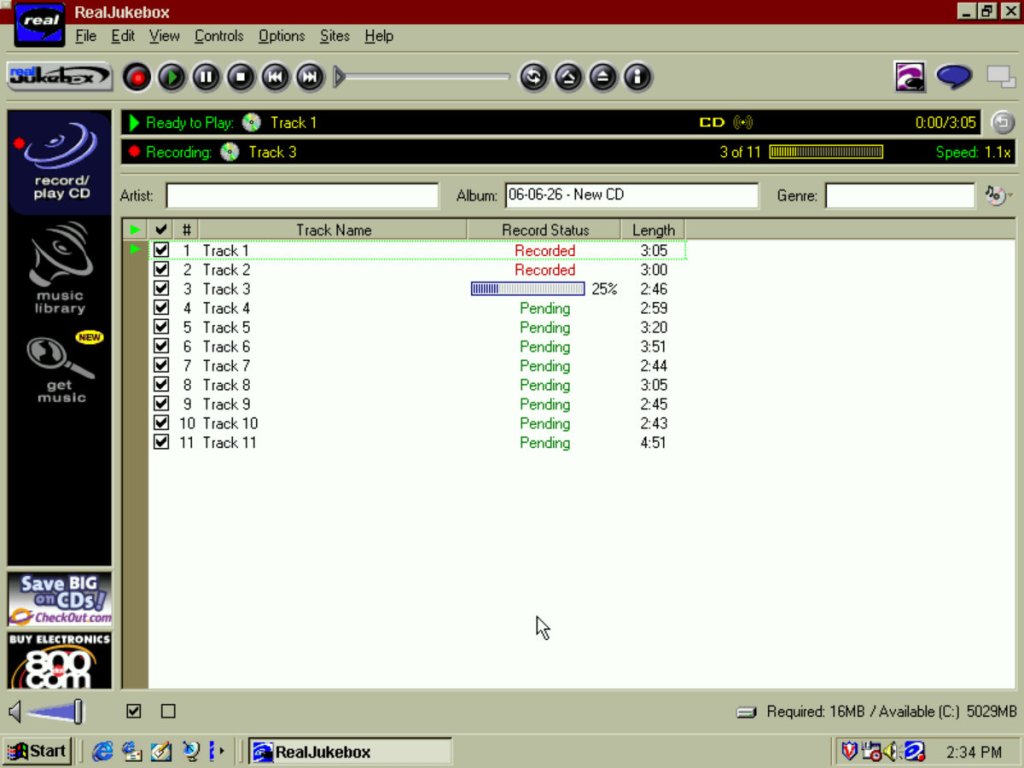
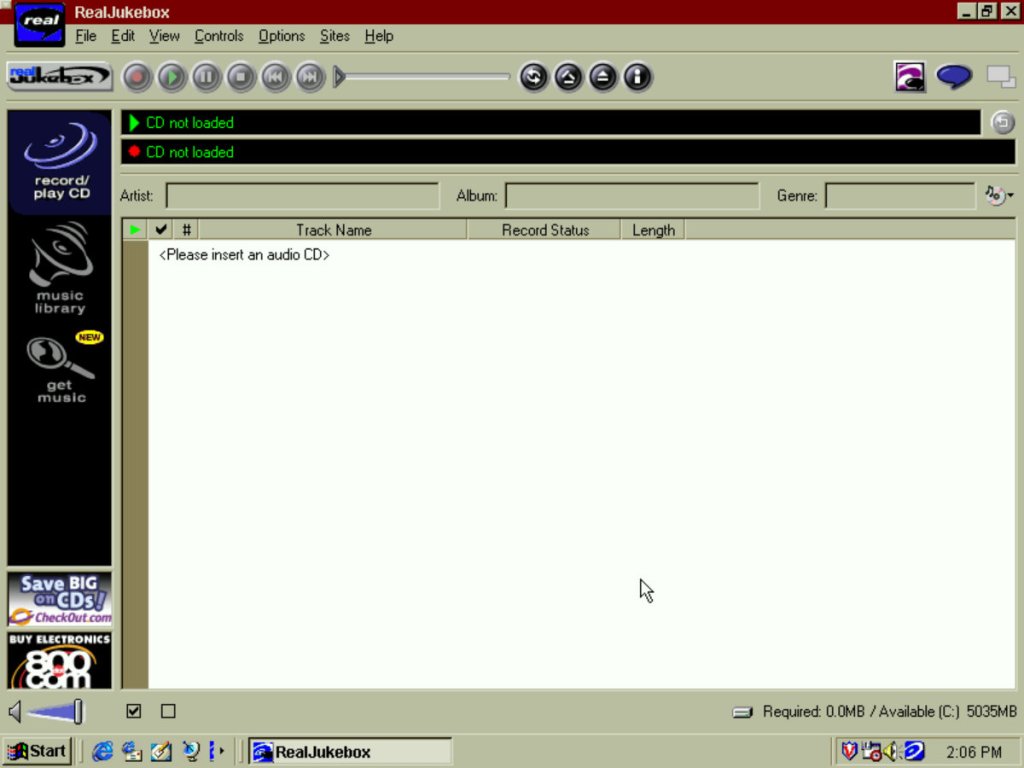
The software here is running on a Windows ME VM running in 86Box which is emulating an original Pentium PC. This VM is sort of underpowered for what the originals software required (A Pentium MMX running at 200Mhz) so I’m curious on what the performance of audio playback will be like. The interface is somewhat cluttered compared to other programs of the era, along with the adverts to long defunct website like 800.com or checkout.com Sadly these did not survive the dot.com bubble crash.

The music library will show the music that has either been downloaded or imported to the library. You can view by artist, album or genre. There is also support for playlists in the RMP file format.

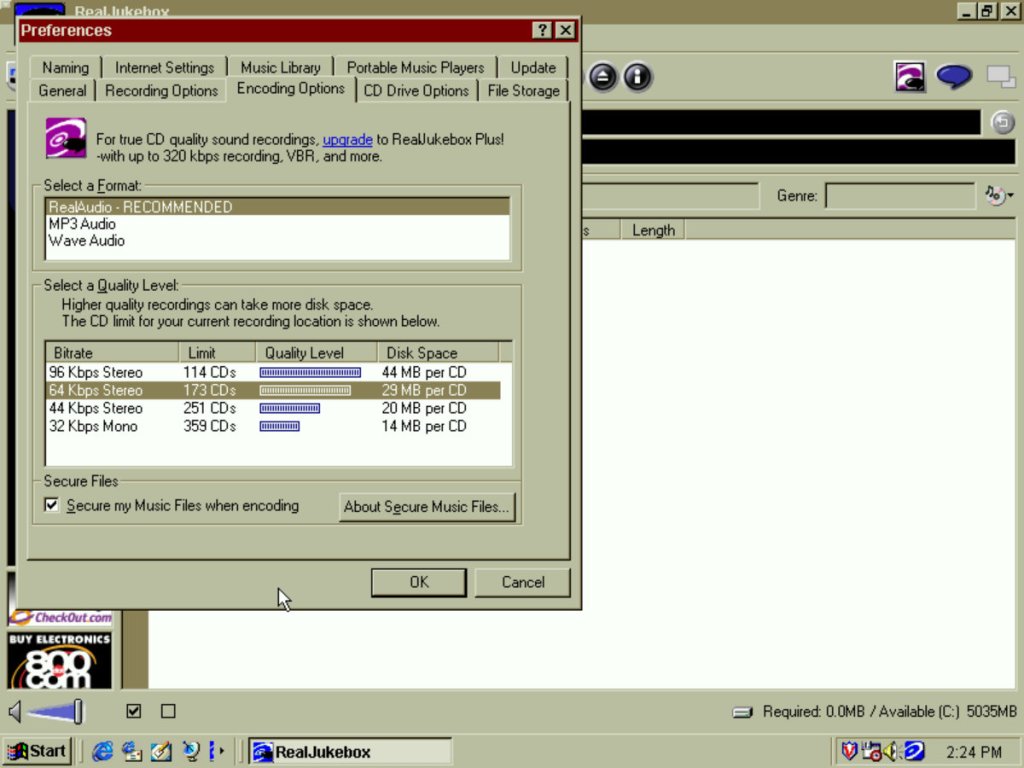
RealJukebox supports ripping to the MP3 or WAV format, and to RealAudio’s own format which was based on the cook codec. The RealAudio format has seen a few iterations over its release with earlier formats using GSM based audio. Importing to the MP3 format is limited to a bitrate of 96Kbps. In contrast, the WAV format has to such restriction but will generate large files, whilst the RealAudio option is limited in its support for portable audio players and RealPlayer software. The RealAudio codes that was used in this version was using the ‘cook’ codec which has similar performance to MP3 but focused on bitrate efficiency, which was essential when most would have been connecting to the internet at 28.8K dial up internet at the time.

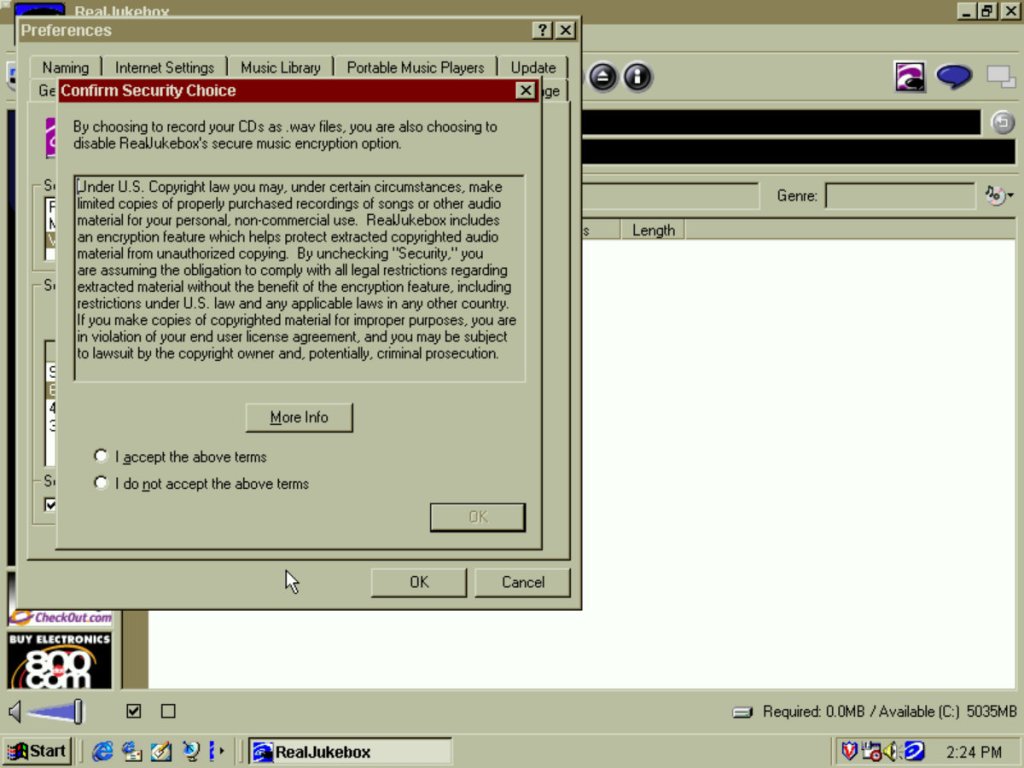
You have the option to ‘protect’ your recording from unauthorized use which is really a way for them to implement DRM on your imported music. This was to limit sharing music to other computers, and over the internet but was also a way to stop any possible problems with the music industry.

Thankfully you can disable this from the start, but I’m unsure if you can unprotect existing files. Still the software will let you backup your playback key if you need to transfer your library to another computer.

At one time the software could obtain song information from the internet, but this is long since defunct. You can manually add these to the songs themselves but it only supports adding one at a time, making it tedious. The best method is to add the data before you ‘Record’ the songs, as RealJukebox allows you to type this in manually. It will then apply that to all the tracks in the current album.

I’m kind curious how this custom codec compared to MP3, especially at a low bitrate. I did rip a few albums using RealAudio at 64Kbps, there is noticeable distortion and degradation when playing song that feature heavy drums, guitar riffs appear to sample better. Vocals don’t seem to be affected much. Playback itself is fine on a Pentium 90Mhz, just don’t attempt to multitask 😀

Portable devices were an emerging market for this era, and this was before the iPod and the digital Walkman players were a thing. Here RealJukebox has support for different brands of players, and can automatically convert files that were suited for the player. Examples of supported players were the Diamond Rio, the RCA Lyra, Create Labs Nomad and the Sony Memory Stick (not Walkman) players. I don’t’ have any of these devices and there isn’t any way to interact these with 86Box for the time being (USB ports are not exposed to the host as of version 5.3)

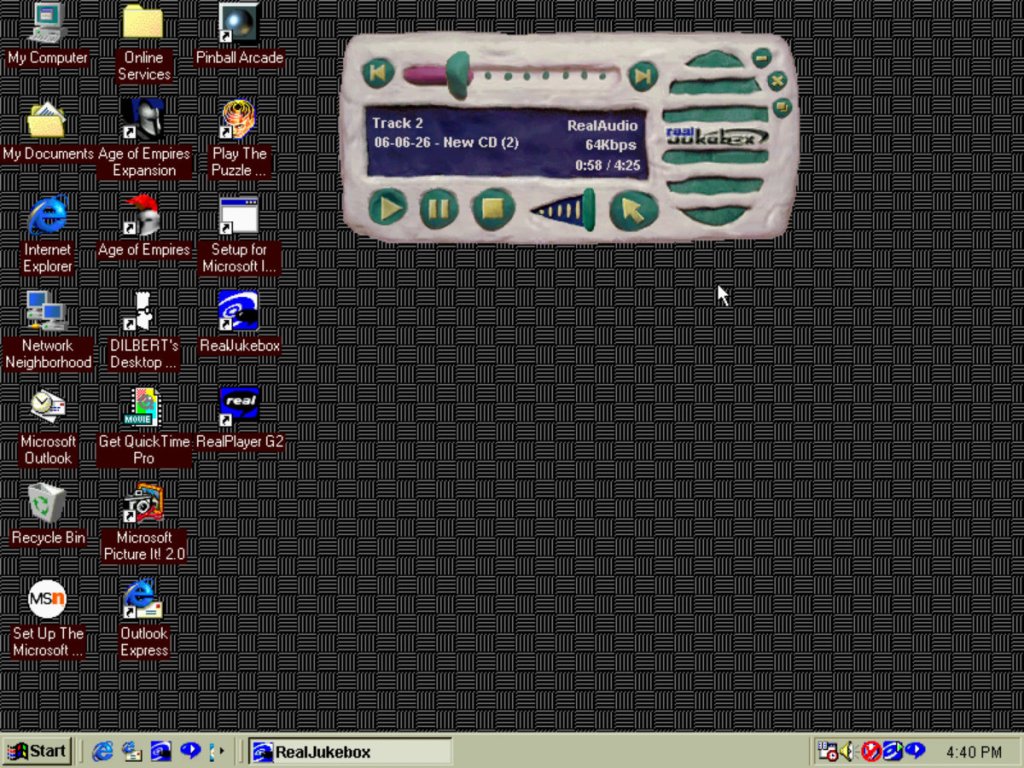
Like other media players, this one features a mini mode that allows you to quickly change the track whilst running another application like an internet browser. A few skins are included like Claymation, Pager (remember those?)

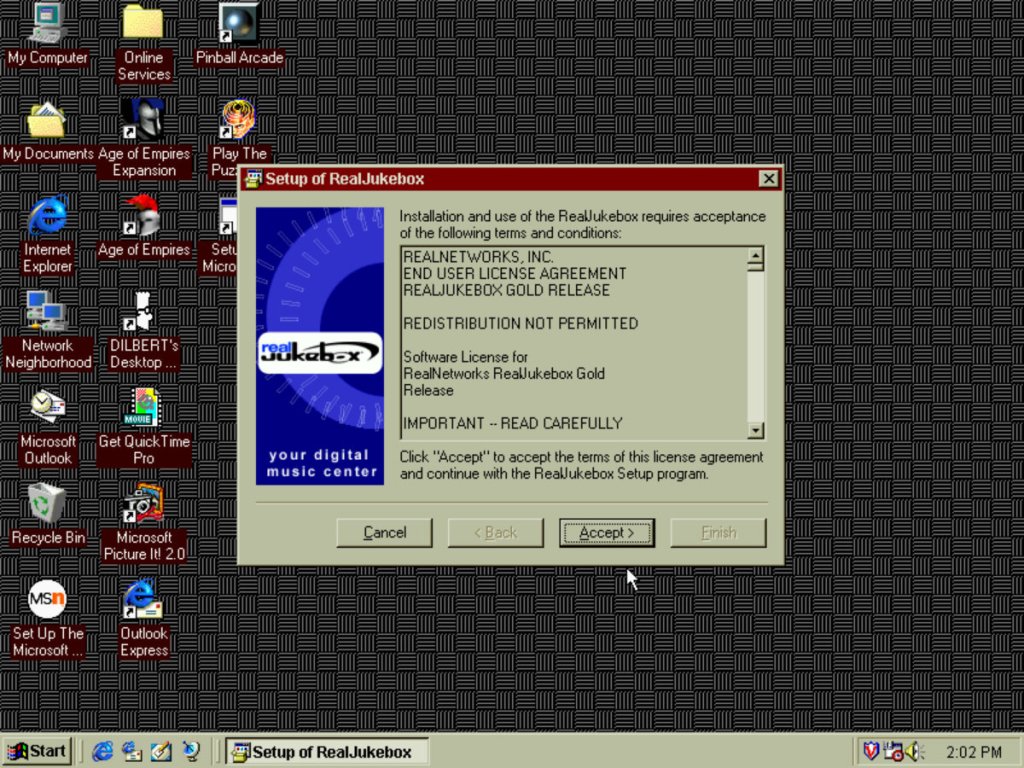
The installer for RealJukebox, which requires you to provide an email address.

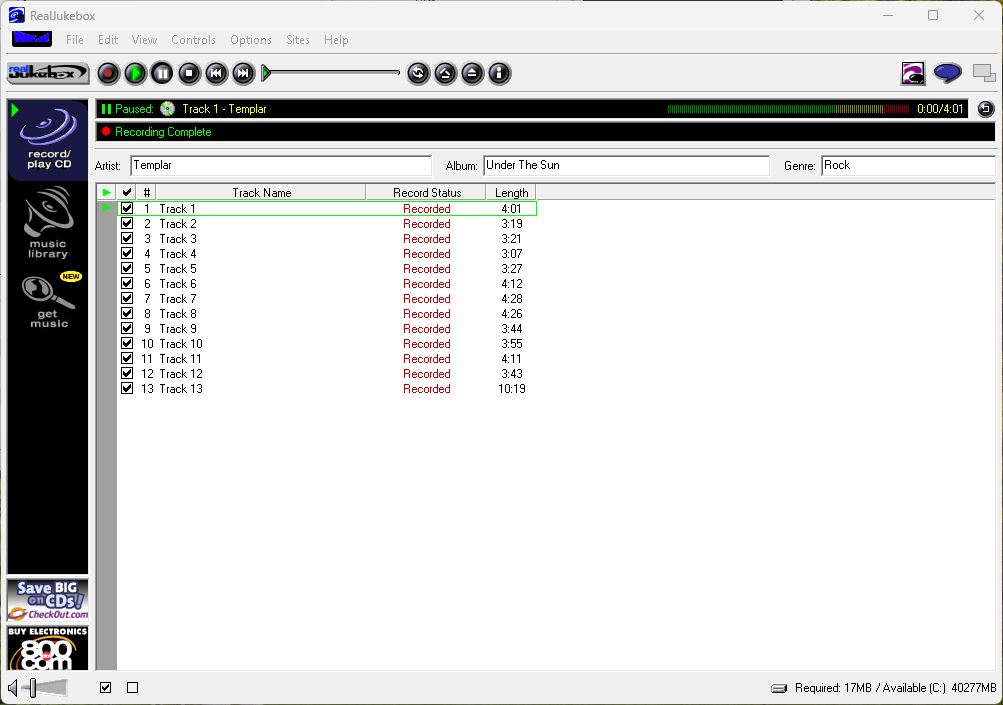
Does it work on Windows 11? Why of course it does. Not much point unless you wanted to specifically create RealAudio encoded files.

RealJukebox faced completion from Microsoft’s own Windows Media Player 7, that added CD ripping and digital music player support, and MusicMatch Jukebox. RealNetworks would later merge RealJukebox into the main RealPlayer branch, which would be temporally rebranded to Real1 player, signifying one application needed for music and internet video. Modern versions of RealPlayer can still Import CD audio and can manage MP3 and FLAC files and it’s a nice alternative to the depreciated Windows Media Player (And the crippled Microsoft UWP player)