RealJukebox was Real Players (Networks) entry into the digital music market. RealJukebox supports MP3 and WAV playback, Cd audio ripping and also operated a limited online music store.
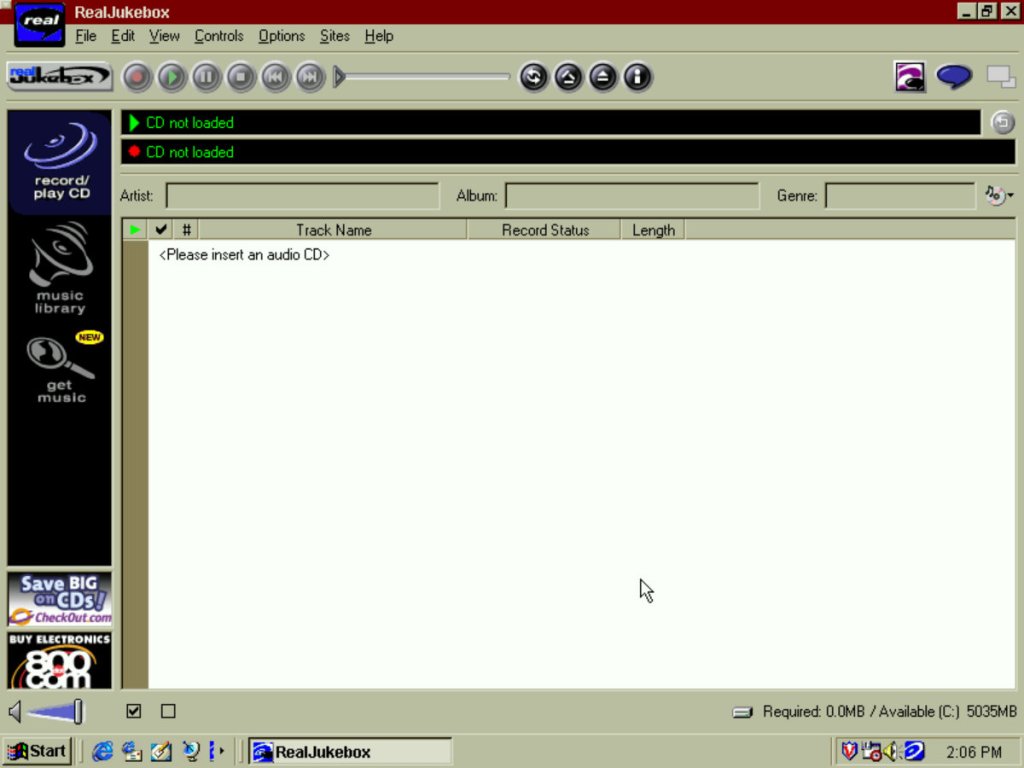
The software here is running on a Windows ME VM running in 86Box which is emulating an original Pentium PC. This VM is sort of underpowered for what the originals software required (A Pentium MMX running at 200Mhz) so I’m curious on what the performance of audio playback will be like. The interface is somewhat cluttered compared to other programs of the era, along with the adverts to long defunct website like 800.com or checkout.com Sadly these did not survive the dot.com bubble crash.
The music library will show the music that has either been downloaded or imported to the library. You can view by artist, album or genre. There is also support for playlists in the RMP file format.
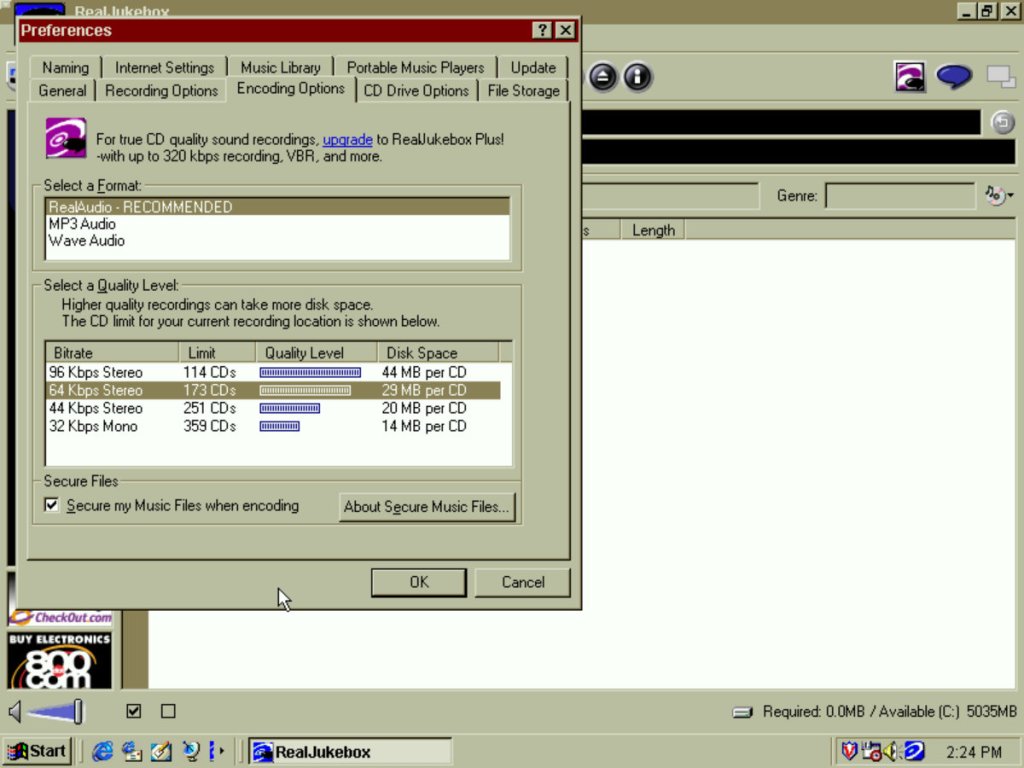
RealJukebox supports ripping to the MP3 or WAV format, and to RealAudio’s own format which was based on the cook codec. The RealAudio format has seen a few iterations over its release with earlier formats using GSM based audio. Importing to the MP3 format is limited to a bitrate of 96Kbps. In contrast, the WAV format has to such restriction but will generate large files, whilst the RealAudio option is limited in its support for portable audio players and RealPlayer software. The RealAudio codes that was used in this version was using the ‘cook’ codec which has similar performance to MP3 but focused on bitrate efficiency, which was essential when most would have been connecting to the internet at 28.8K dial up internet at the time.
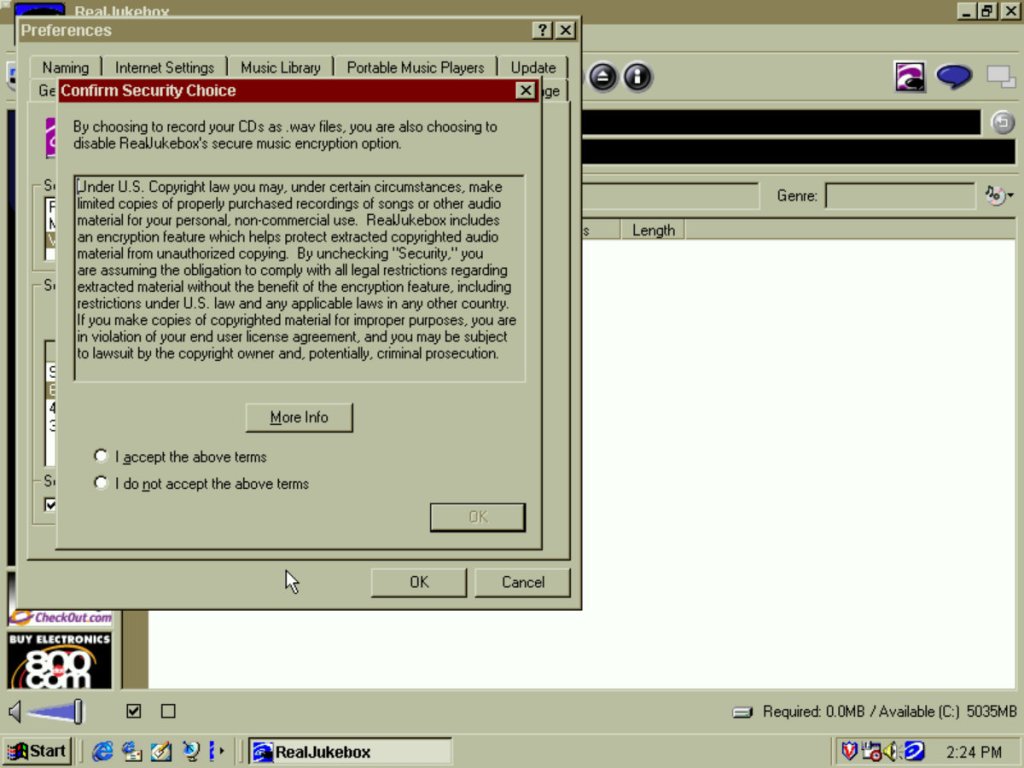
You have the option to ‘protect’ your recording from unauthorized use which is really a way for them to implement DRM on your imported music. This was to limit sharing music to other computers, and over the internet but was also a way to stop any possible problems with the music industry.
Thankfully you can disable this from the start, but I’m unsure if you can unprotect existing files. Still the software will let you backup your playback key if you need to transfer your library to another computer.
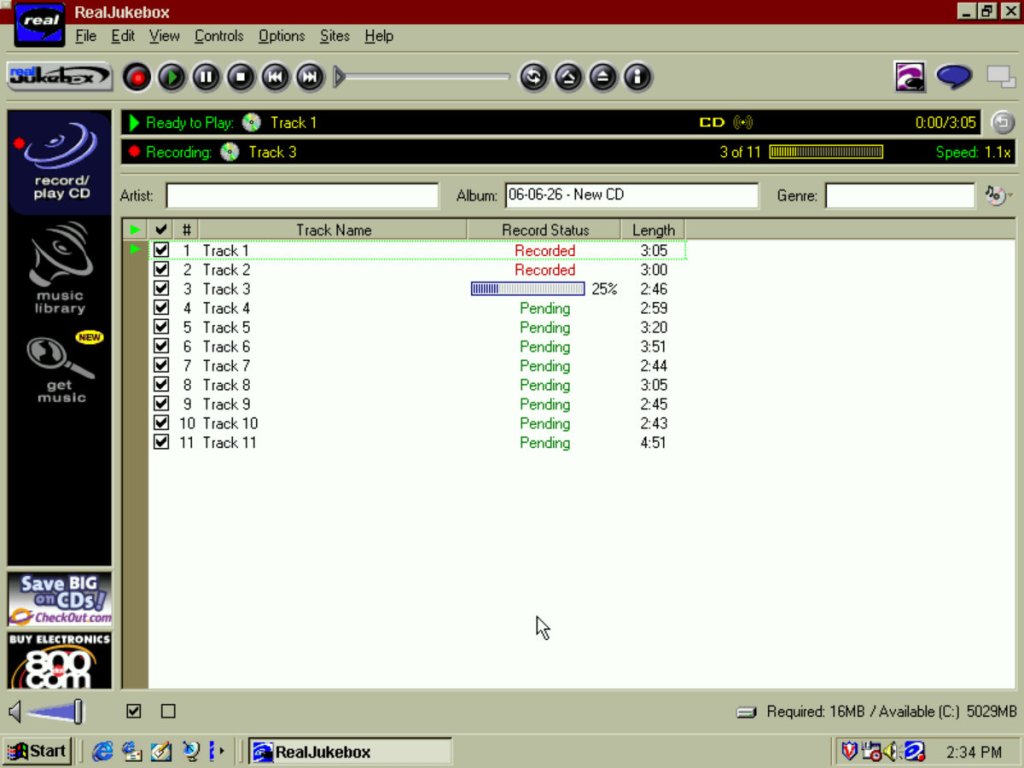
At one time the software could obtain song information from the internet, but this is long since defunct. You can manually add these to the songs themselves but it only supports adding one at a time, making it tedious. The best method is to add the data before you ‘Record’ the songs, as RealJukebox allows you to type this in manually. It will then apply that to all the tracks in the current album.
I’m kind curious how this custom codec compared to MP3, especially at a low bitrate. I did rip a few albums using RealAudio at 64Kbps, there is noticeable distortion and degradation when playing song that feature heavy drums, guitar riffs appear to sample better. Vocals don’t seem to be affected much. Playback itself is fine on a Pentium 90Mhz, just don’t attempt to multitask 😀
Portable devices were an emerging market for this era, and this was before the iPod and the digital Walkman players were a thing. Here RealJukebox has support for different brands of players, and can automatically convert files that were suited for the player. Examples of supported players were the Diamond Rio, the RCA Lyra, Create Labs Nomad and the Sony Memory Stick (not Walkman) players. I don’t’ have any of these devices and there isn’t any way to interact these with 86Box for the time being (USB ports are not exposed to the host as of version 5.3)
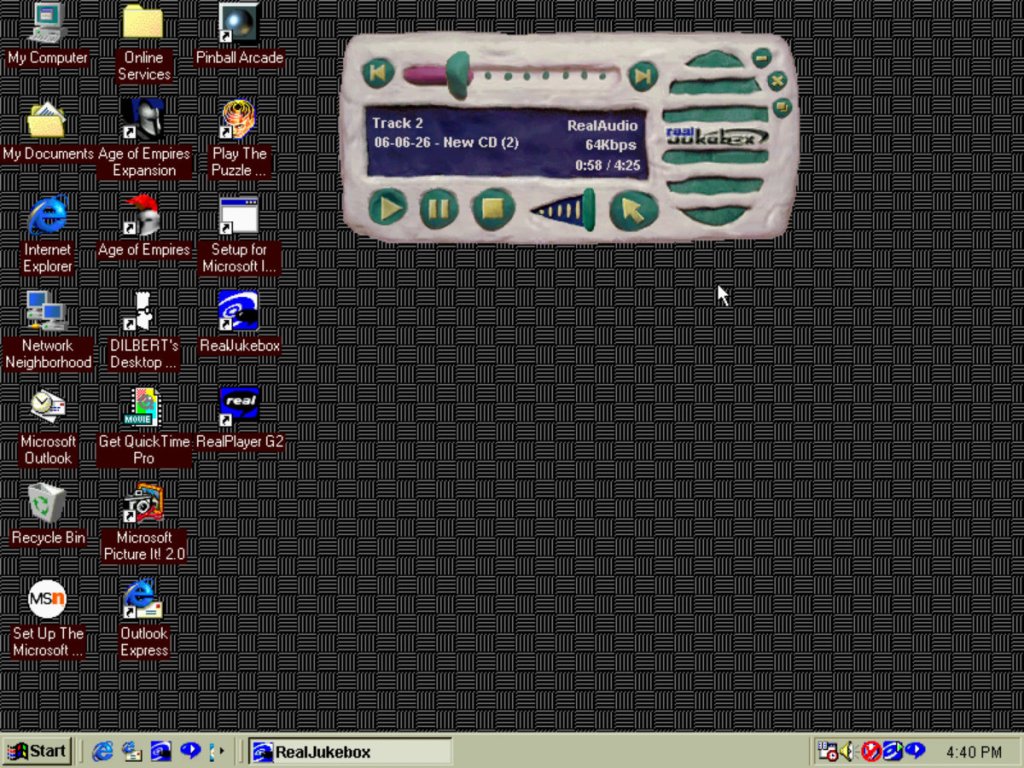
Like other media players, this one features a mini mode that allows you to quickly change the track whilst running another application like an internet browser. A few skins are included like Claymation, Pager (remember those?)
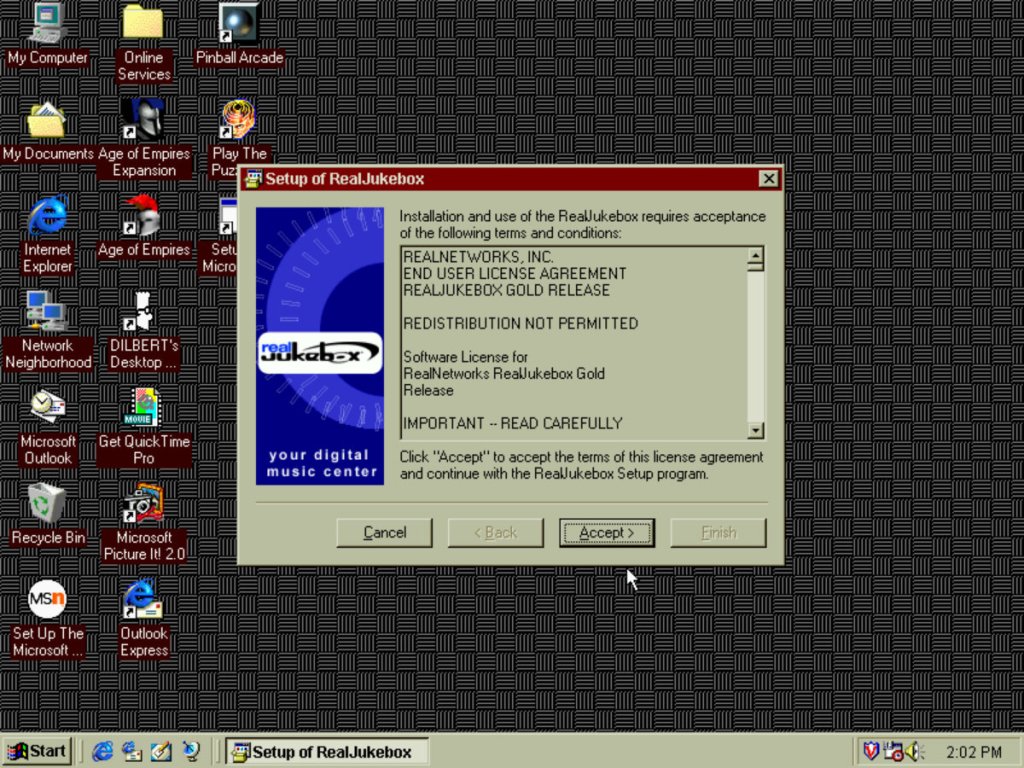
The installer for RealJukebox, which requires you to provide an email address.
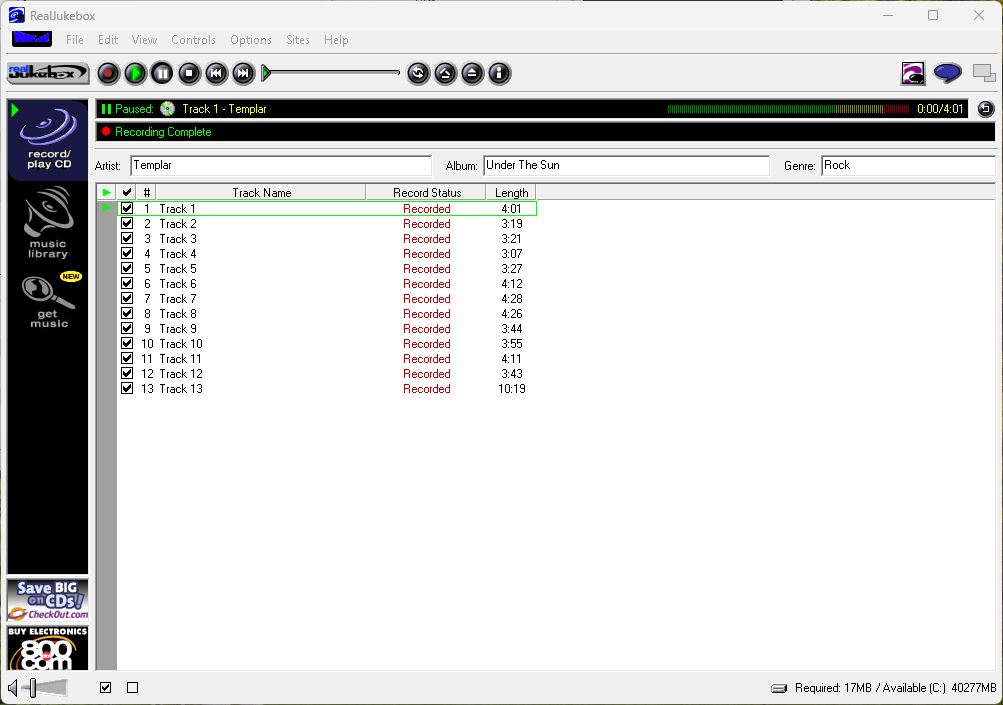
Does it work on Windows 11? Why of course it does. Not much point unless you wanted to specifically create RealAudio encoded files.
RealJukebox faced completion from Microsoft’s own Windows Media Player 7, that added CD ripping and digital music player support, and MusicMatch Jukebox. RealNetworks would later merge RealJukebox into the main RealPlayer branch, which would be temporally rebranded to Real1 player, signifying one application needed for music and internet video. Modern versions of RealPlayer can still Import CD audio and can manage MP3 and FLAC files and it’s a nice alternative to the depreciated Windows Media Player (And the crippled Microsoft UWP player)

